
Metorik API
The Metorik API lets you access your store’s data programmatically to build integrations, dashboards, or automation workflows.
To get started, you’ll need to create an API key in your store settings, then use it to authenticate your requests.
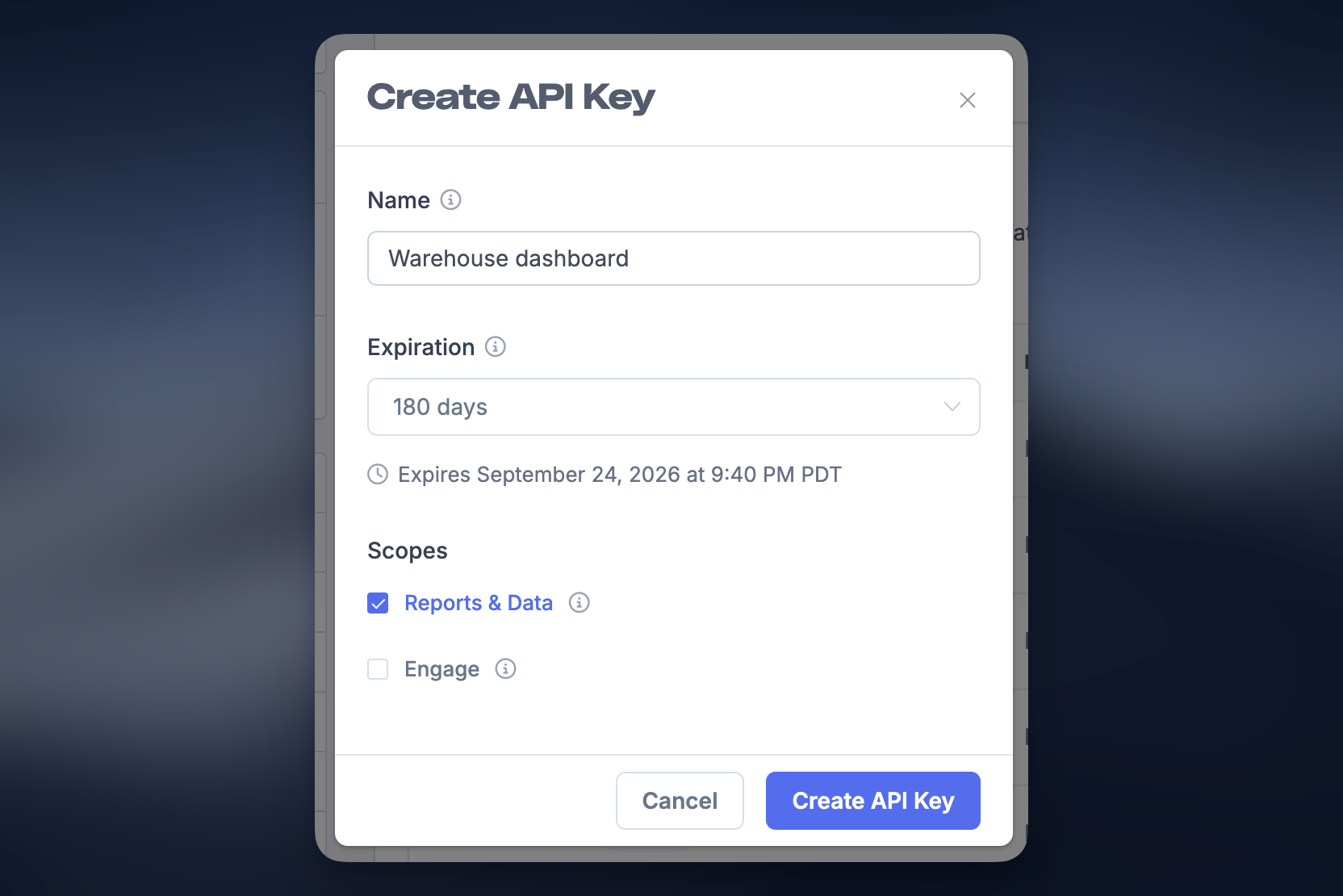
1. Create an API key
API keys are managed per store inside your Metorik dashboard.
- Go to Store Settings → API Keys.
- Click Create API Key.
- Enter a name (e.g. “Warehouse dashboard” or “Zapier”).
- Choose an expiration (or leave as never).
- Select scopes:
- Reports & Data – access reporting and store data.
- Engage – access Engage endpoints (if needed).
- Click Create API Key.
Be sure to copy and store your API key securely after creating it.
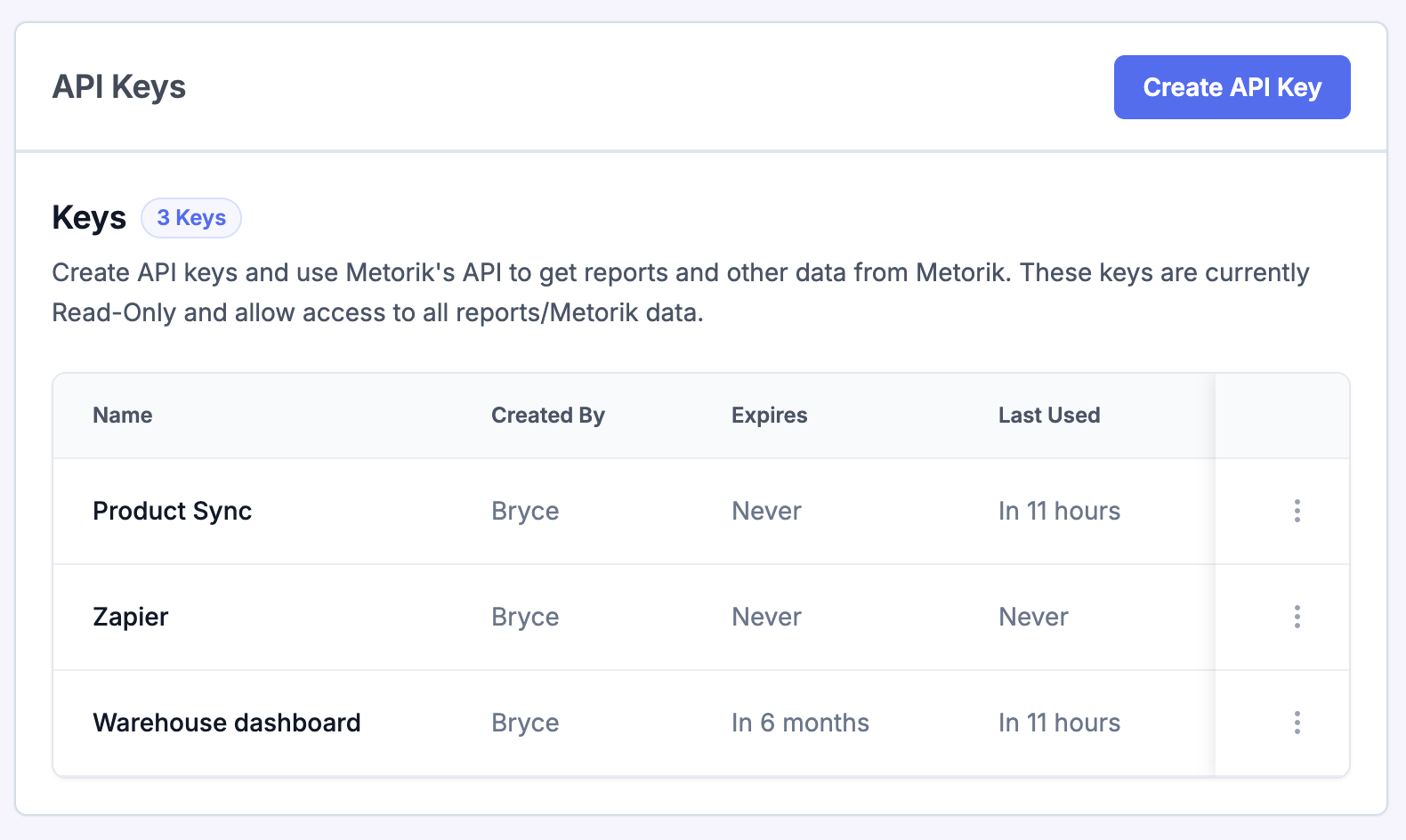
2. Manage API keys
From the API Keys screen, you can:
- View all keys for your store.
- See when they were last used/expire.
- Revoke keys you no longer need.
If a key is ever compromised, revoke it immediately and create a new one.
3. Make your first API request
All requests to the Metorik API:
- Use JSON.
-
Are sent to the base URL:
https://app.metorik.com/api/v1/store - Require authentication using your API key.
Example request:
curl https://app.metorik.com/api/v1/store/products \
  -H "Authorization: Bearer YOUR_API_KEY" \
  -H "Content-Type: application/json"
4. Authentication
Metorik uses Bearer authentication.
Include your API key in the request header:
Authorization: Bearer YOUR_API_KEY
Keep your API key secure - anyone with access to it can read your store data. Never expose it on a public website.
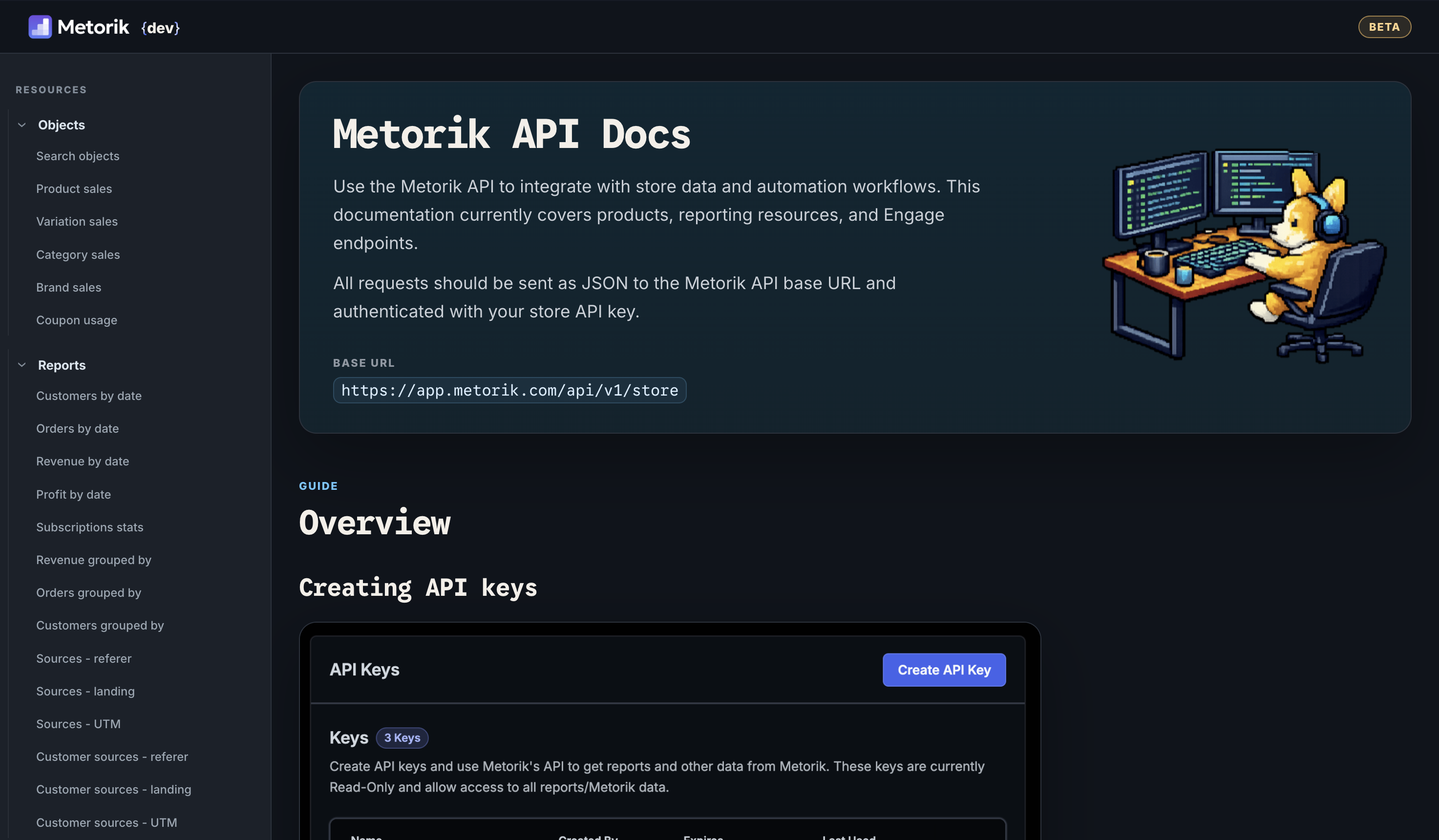
5. API documentation
For full endpoint details, parameters, and examples, see the developer docs:
Limitations & alternative integrations
Metorik does not currently have an API for managing store data such as customers, orders, or products.
If you're not using WooCommerce or Shopify and would like to sync your eCommerce data into Metorik, you can use an alternative solution like 3rd party integration solution.
Tips
- Use separate API keys for different integrations.
- Set expirations for better security.
- Rotate keys periodically.
- Never expose API keys in frontend code.