
Finding your subscription trial conversion rate
Track how many trial subscriptions convert to paying customers. This guide shows you how to calculate your trial conversion rate using Metorik's built-in segmenting tools.
How trial conversion rate works
Your trial conversion rate measures what percentage of subscriptions that started with a trial went on to become paid subscriptions. The formula is:
Paid subscriptions ÷ Total trials × 100 = Conversion rate %
For example, if you had 14 subscriptions with trials and 4 of them converted to paid subscriptions, your conversion rate would be 4 ÷ 14 × 100 = 28.57%.
Calculate your trial conversion rate
Go to the Subscriptions page
Navigate to your Subscription segmenting page. This is where you can filter and segment all your subscriptions.
Find all subscriptions with trials
Add the filter Trial Period is not empty. This filters your subscriptions to show only those that had a trial period.
Click the blue Segment Subscriptions button to apply the filter.
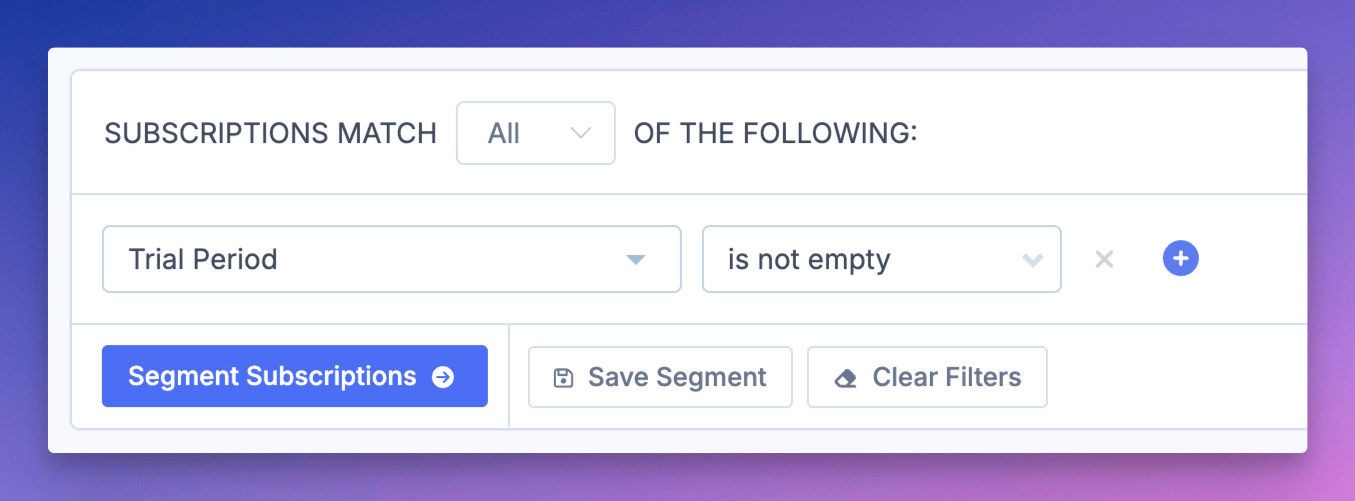
Note the total count displayed — this is your total trials number. In the example above, it's 14.
Load the Trial Conversions segment
Click the Choose a Segment button and select Trial Conversions from the dropdown.
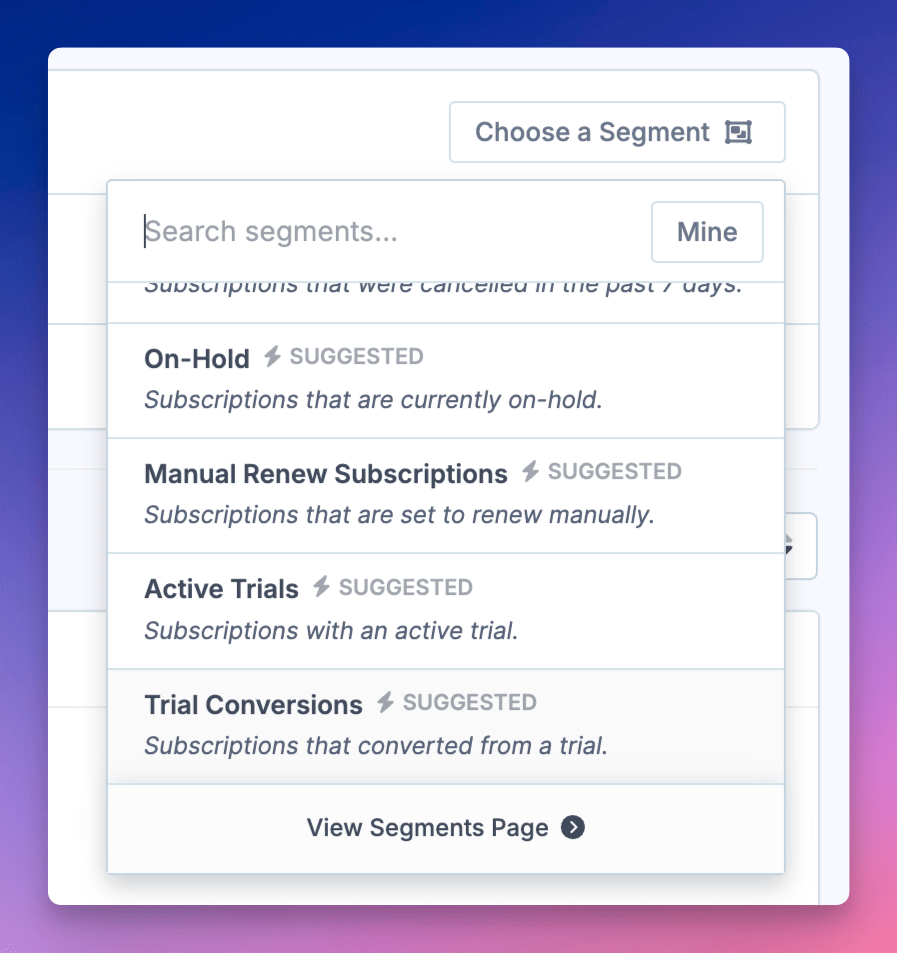
This built-in segment automatically applies two filters:
Trial Period is not empty — subscriptions that had a trial
Renewal Orders Count greater than 0 — subscriptions with at least one renewal order (meaning they converted to paid)
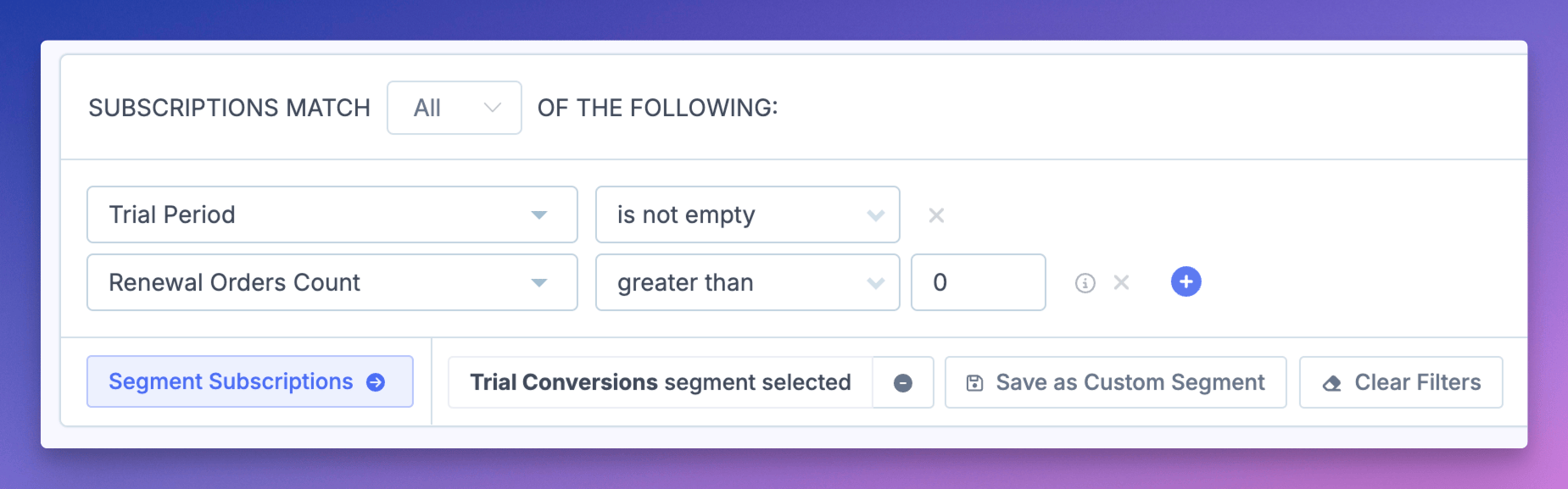
Calculate your conversion rate
Note the count shown for the Trial Conversions segment — this is your paid subscriptions number. In the example, it's 4.
Calculate your conversion rate:
Paid subscriptions ÷ Total trials × 100 = Conversion rate %
Using the example numbers: 4 ÷ 14 × 100 = 28.57%
Filter by specific products
To measure conversion rates for a specific subscription product, add a Products filter to your segment before calculating. This lets you compare trial conversion performance across different subscription offerings.
Learn more:
Segmenting Data — overview of Metorik's segmenting system
WooCommerce: Subscription Reports — subscription-specific analytics
Types of Segmenting — advanced segment options with AND/OR logic