
Tag and filter groups of customers
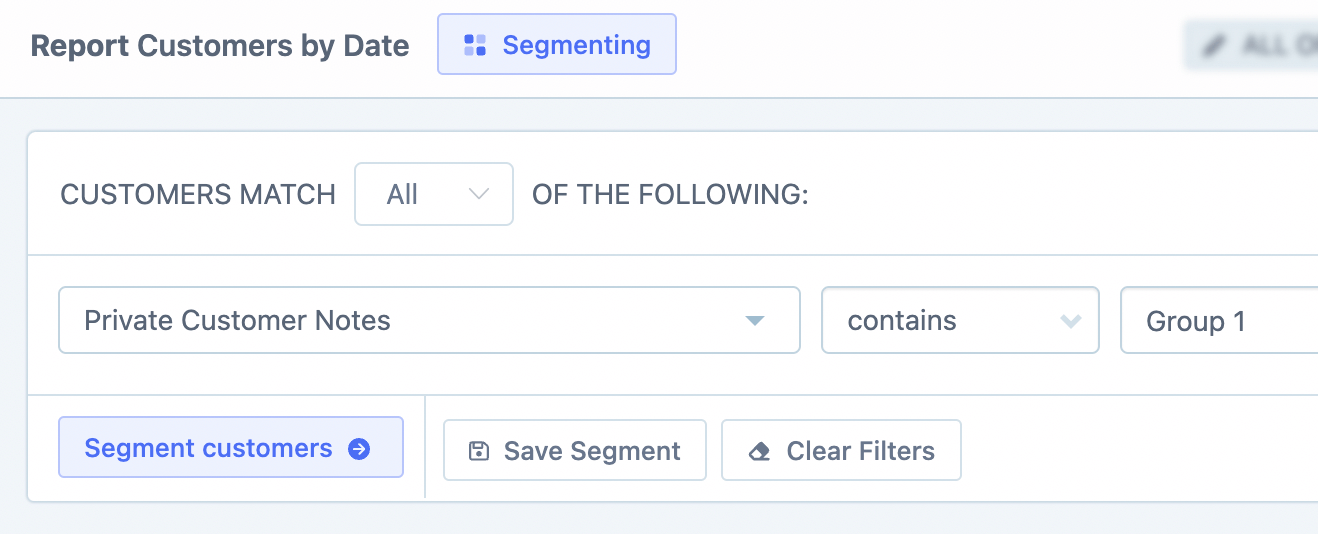
Metorik doesn't have a native "tags" feature, but you can group customers with Metorik Properties, private notes, or custom fields. Properties are the closest to tags: add a named value to any customer, then filter on it and save the segment (see Metorik Properties). The private notes method below works too: add a tag-like note to a customer, then build and save a segment that filters on that note. Once saved, you can quickly access that group of customers anytime and even filter reports by it.
This approach works well for marking VIPs, wholesale customers, priority support cases, or any custom grouping that makes sense for your store.
Add a private note to a customer
Go to any individual customer profile. In the Private Notes section, click Add Private Note and enter the text you want to use as a tag — for example, VIP or Wholesale.
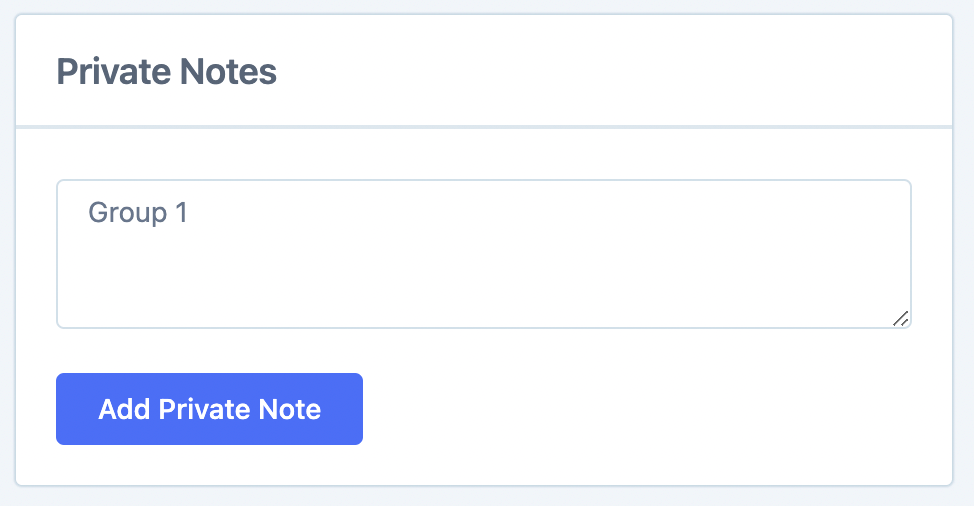
The note is internal only; customers can't see it.
Filter customers by the note
Go to the main Customers page. Open the Segmenting Tool and add a filter for the private note text you entered.
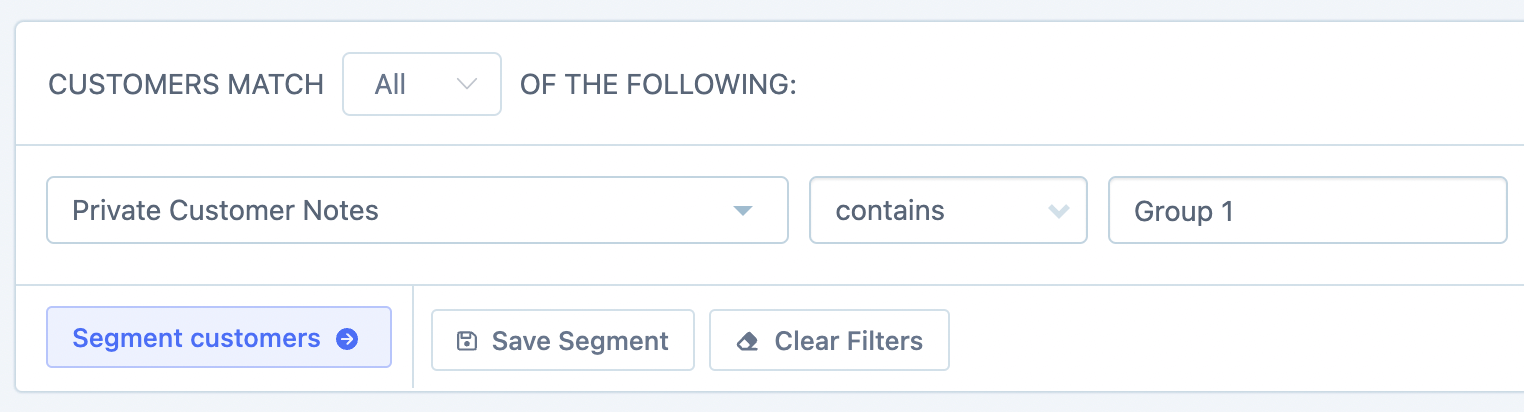
This returns all customers who have that note in their private notes.
Save the segment
Click Save Segment. Enter a name (for example, VIP Customers), choose whether it should be visible to the whole team or just you, then click Save.
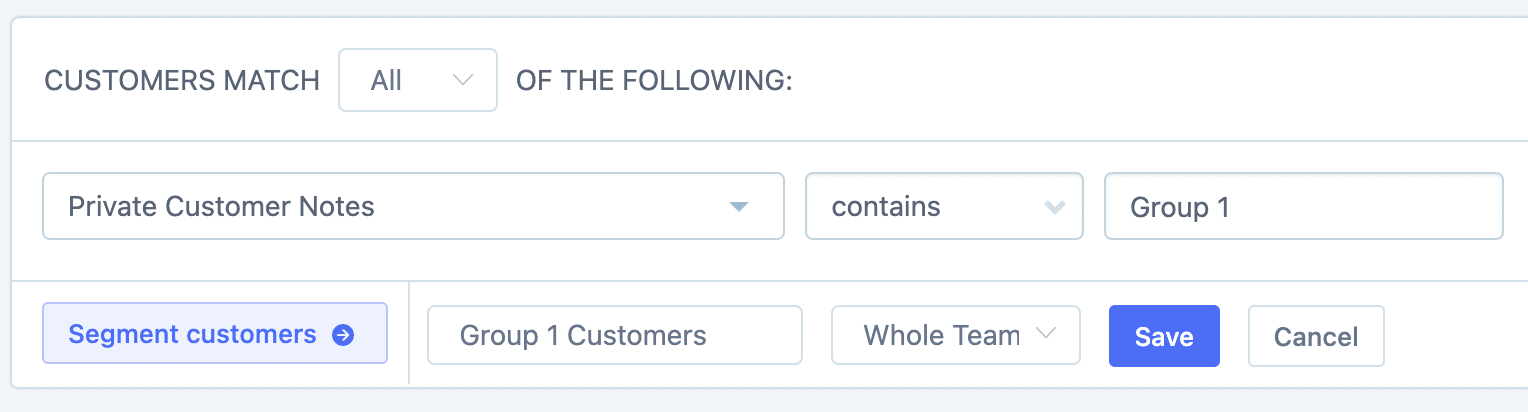
Access the saved segment
To quickly access the segment later, click the Choose a Segment dropdown at the top of the Customers page and select it from the saved segments list.
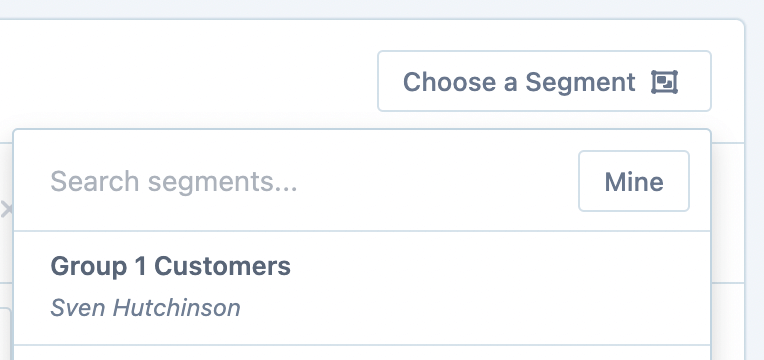
View all saved segments
For a bird's-eye view of all your customer segments, go to the Customers Segments page. You'll see live stats for each segment, making it easy to compare groups.

Filter reports by the saved segment
You can also use saved segments in reports. For example, on the Customers Report, open the Segmenting Tool and select your saved segment to filter the entire report by that group.
Alternative: Use Custom Fields
If your store already uses custom fields (meta data in WooCommerce, or additional details in Shopify), you can segment by those instead of private notes. Custom fields work the same way — filter on the field, save the segment, and reuse it anytime. Learn more in the Custom Fields article.
Next steps
Learn more about segmenting — combining filters, AND/OR logic, and sharing segments with your team.
Manage your saved segments — view stats, edit, or delete segments.