
Automatically emailing customers after a purchase asking for a product review
Use Metorik Engage to automatically send WooCommerce customers a follow-up email after they complete an order, asking them to leave a product review. This workflow uses the order follow-up template's item table, which carries each product's review link.
Choose the template
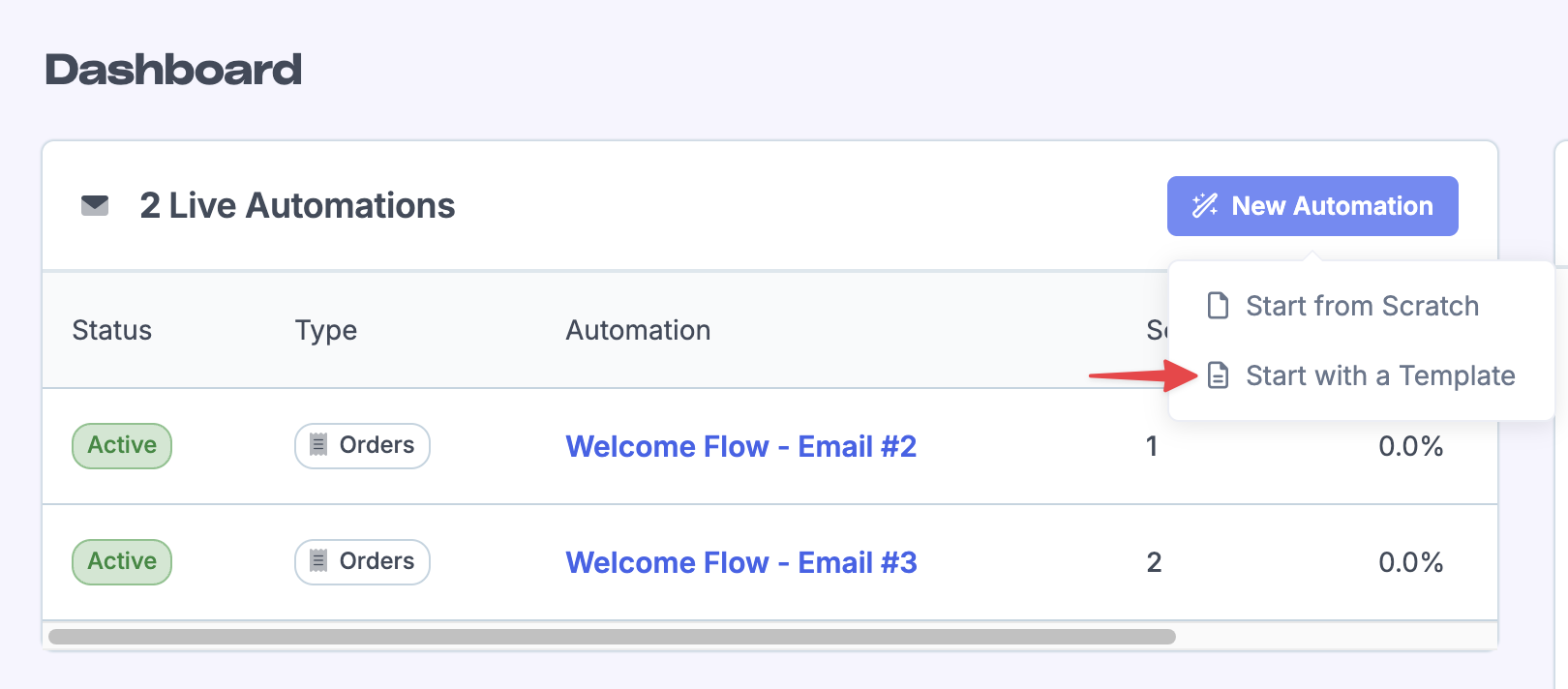
From the Engage main page, click New Automation, then Start with a Template.
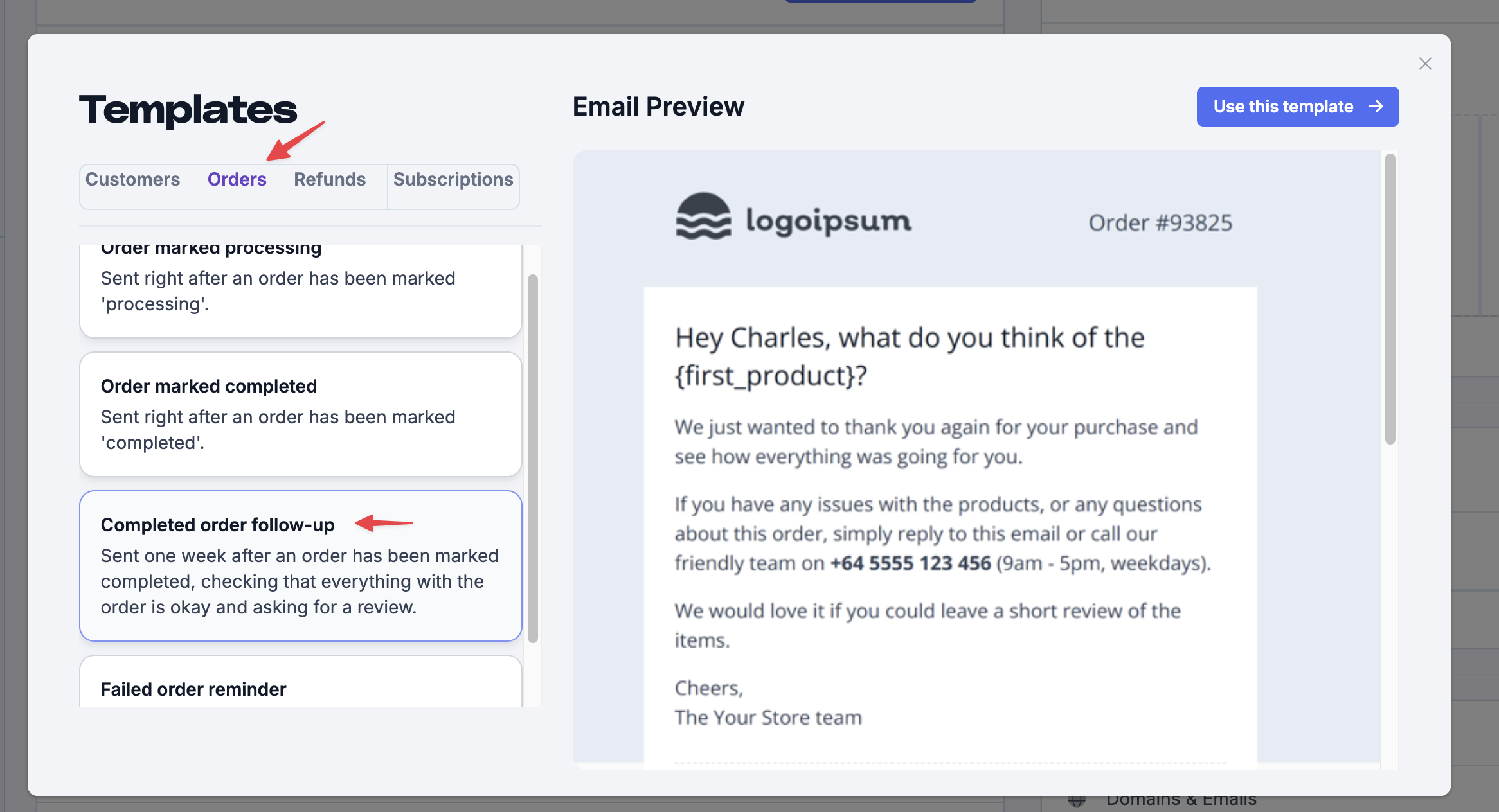
Select Orders, then choose the Completed order follow-up template.
Name your automation
Give it a name, optionally assign it to a campaign, and add a description. These are internal only — customers won't see them.
Adjust trigger conditions
Use the Segmenting Tool to adjust timing or add filters — for example, to only trigger for certain products. Click Save & Continue. See Building an Automation.
Edit the email and add product images
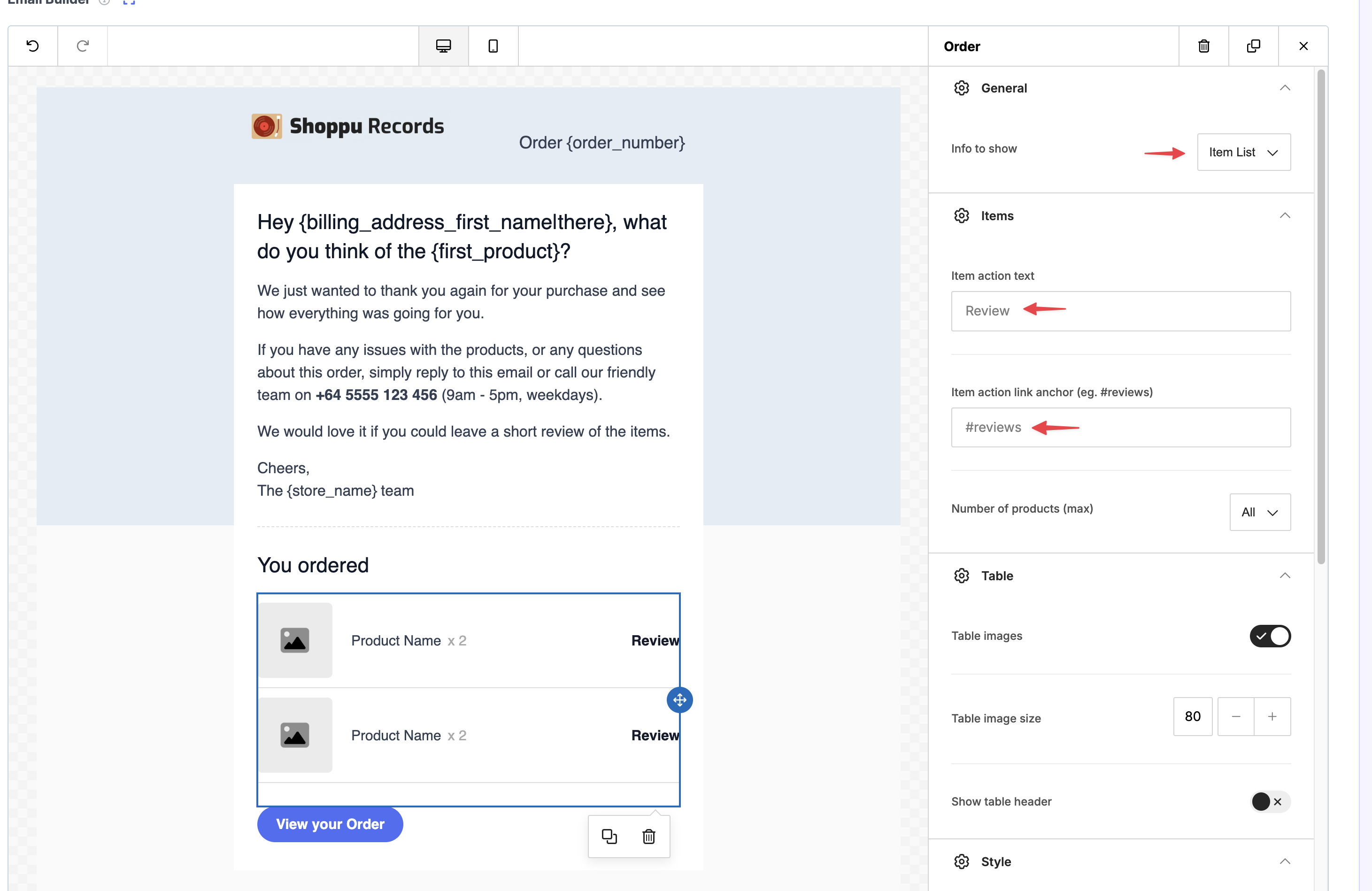
The template uses the item table, which includes each product's image and review link. To make the links open the reviews section on your product page, click Item list, then set the Item action link anchor (eg. #reviews) to #reviews. Each product link then takes the customer to the product page and anchors down to the reviews section.
Activate
Activate the automation. See Automation Activation for sending limit details.
Use Reviews.io instead of the item table
If you use Reviews.io, you can send a single personalized review link instead of the item table. This also works for Shopify stores.
The {reviews_io_link} variable generates one personalized Reviews.io URL containing the customer, order, and purchased product SKUs. It does not create a table — use it as a button or text hyperlink so the customer reviews all their products from a single Reviews.io page.
In the Email Builder, add a button or text link and insert {reviews_io_link} as its URL.