
Calculating new and returning customers
Metorik provides three different ways to analyze new versus returning customers, and each method calculates these terms slightly differently. Understanding these differences is essential for accurate reporting.
For the basic definition of what Metorik considers a "New" or "Returning" customer, see How does Metorik define a New or Returning Customer?
Method 1: Customer Retention Report
The Customer Retention Report is designed to track how well you retain customers over time. It's the most comprehensive way to analyze new versus returning customer behavior.

The date picker in this report filters customers by either their joined date or their first ordered date:
First order date (default): Filters customers based on when they placed their first successful order.
Joined date: Filters customers based on when they created an account on your store.
You can change this setting in your store date settings.
How this report defines customers
In the Customer Retention Report:
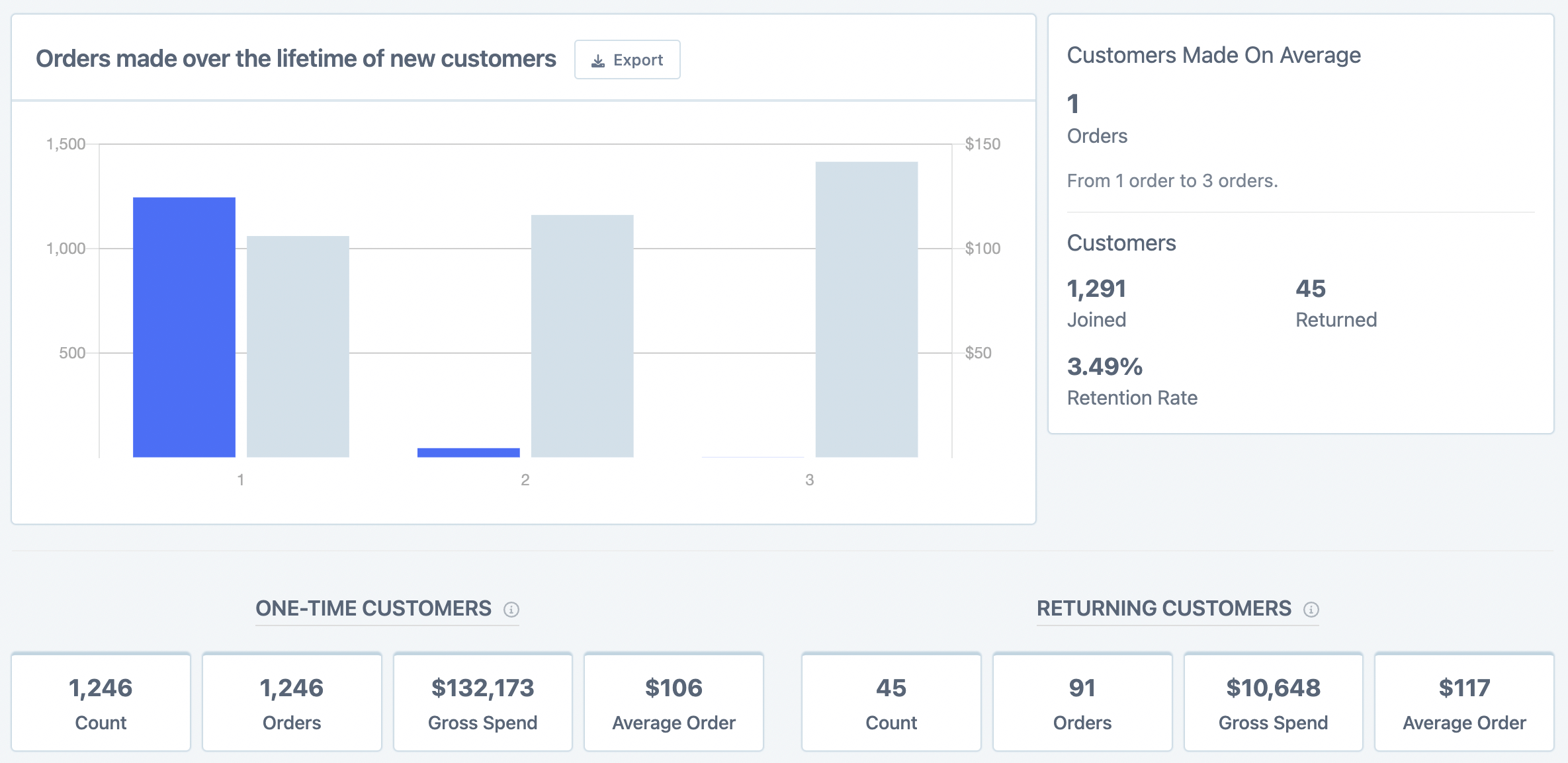
One-time customer: A customer who placed only a single order in their lifetime, and that order was placed within the date range you're viewing.
Returning customer: A customer who placed more than one order in their lifetime. Their first order falls within the date range you're viewing, but subsequent orders may occur after that range.
Method 2: Orders or Customers Page Segments
If you don't need to filter by a specific first order or joined date, you can use pre-built segments on the Orders or Customers pages.
Open the segment dropdown
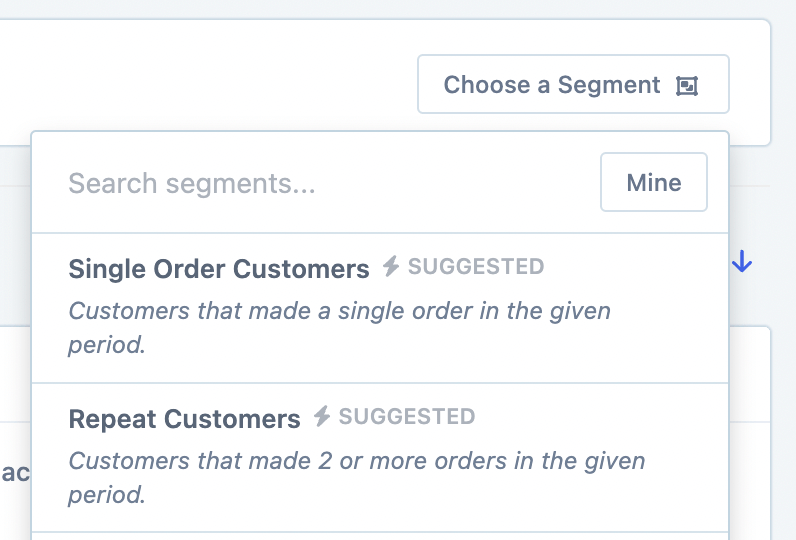
Click the Choose a Segment button in the segmenting area.
Select a pre-built segment
Choose from the suggested segments:
Repeat Order Customers: Customers who have placed more than one order.
Single Order Customers: Customers who have placed exactly one order.
View the results and stats
After applying the segment, Metorik displays useful statistics at the bottom of the page, including total customers, lifetime value, and order counts.

You can export this data as a CSV, set up recurring exports, and customize which columns appear in your export.
For more on building and saving custom segments, see Segmenting Data.
Method 3: Orders Report
The Orders Report provides another perspective on new versus returning customers, but it defines these terms differently from the Customer Retention Report.
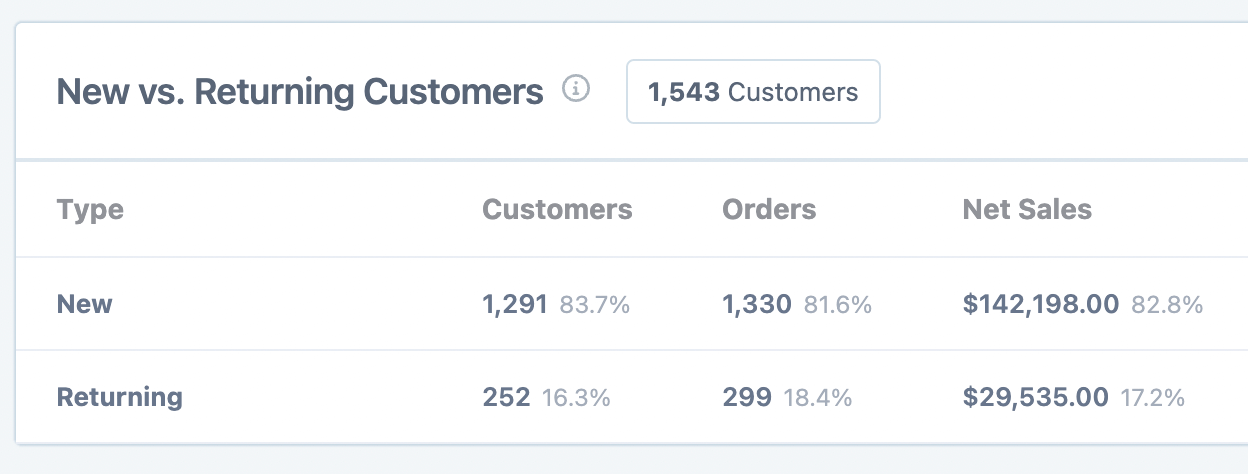
The key difference: the Orders Report's date picker filters by order created date, not by the customer's first order or joined date.

In this report, Returning Customers are defined as customers who joined your store before the date range you've selected — even if they had not placed any orders before that range.
This definition differs from the Customer Retention Report. A customer might appear as "returning" in the Orders Report simply because they created an account before your selected date range, regardless of their order history.
Which method should you use?
Method | Best for | Date filter basis |
|---|---|---|
Customer Retention Report | Understanding retention behavior over time, cohort analysis | First order date or joined date |
Orders/Customers Page Segments | Quick filtering without date constraints, exporting customer lists | No specific date filter |
Orders Report | Order-level analysis within a specific period | Order created date |
Next steps
Learn more about Customer Reports and how to interpret them.
Explore Customer Cohort Reports for deeper retention insights.
Set up recurring exports to track new and returning customer trends automatically.