
Google Ads integration
Metorik does not connect directly to Google Ads. We sync Google Ads data through your Google Analytics integration so we can use read-only access instead of requiring full write/admin access to your Google Ads account.
Why Metorik uses Google Analytics for Google Ads
The only way Google currently allows third-party connections to a Google Ads account is with full write or administrative access. That level of access carries extra risk for your account, so we avoid it. By routing Google Ads data through Google Analytics, we can read the data we need without requiring those permissions directly.
Before you connect in Metorik
Before Metorik can sync Google Ads data, you must link your Google Ads account to your Google Analytics 4 property inside Google’s own tools. You can do this from either side.
From Google Ads
In your Google Ads account, click the Tools icon.
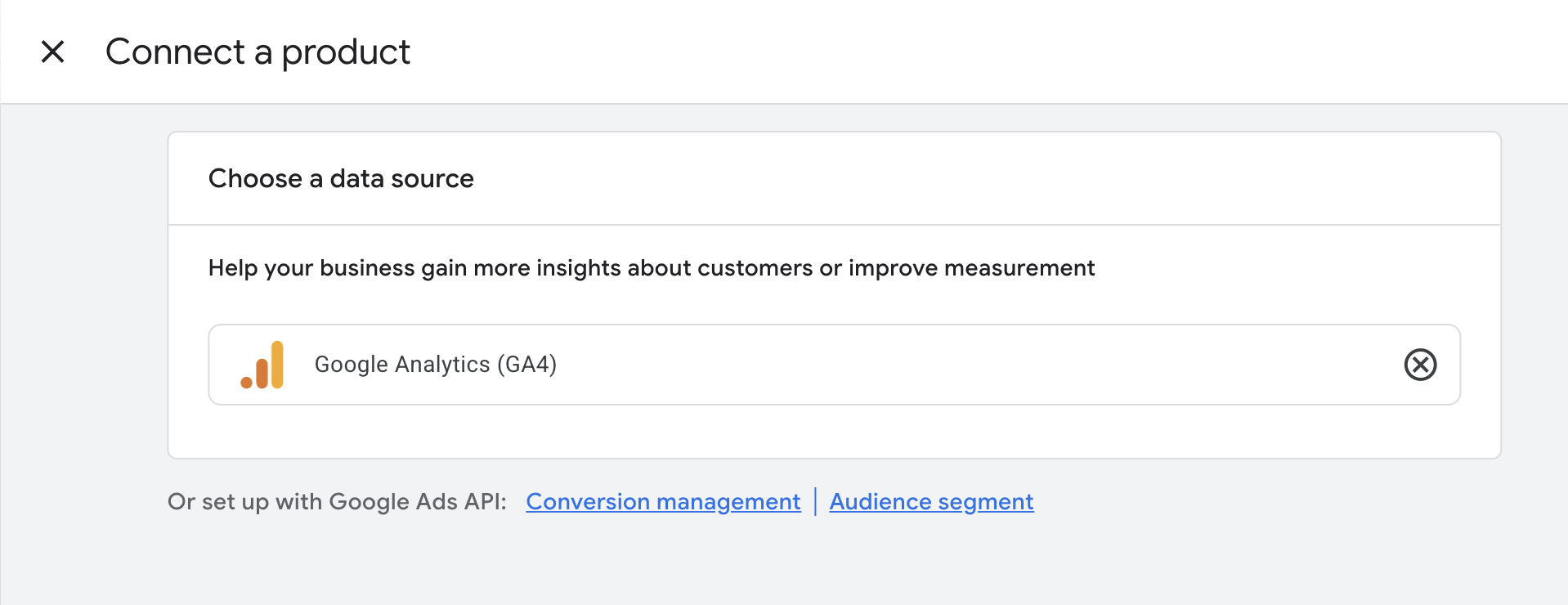
Under Data manager, click + Connect Product.
Select Google Analytics (GA4) & Firebase.
Click Link Setup.
Choose the Analytics property you want to link and click Next.
Click Link.
From Google Analytics
In Google Analytics, go to Admin (gear icon).
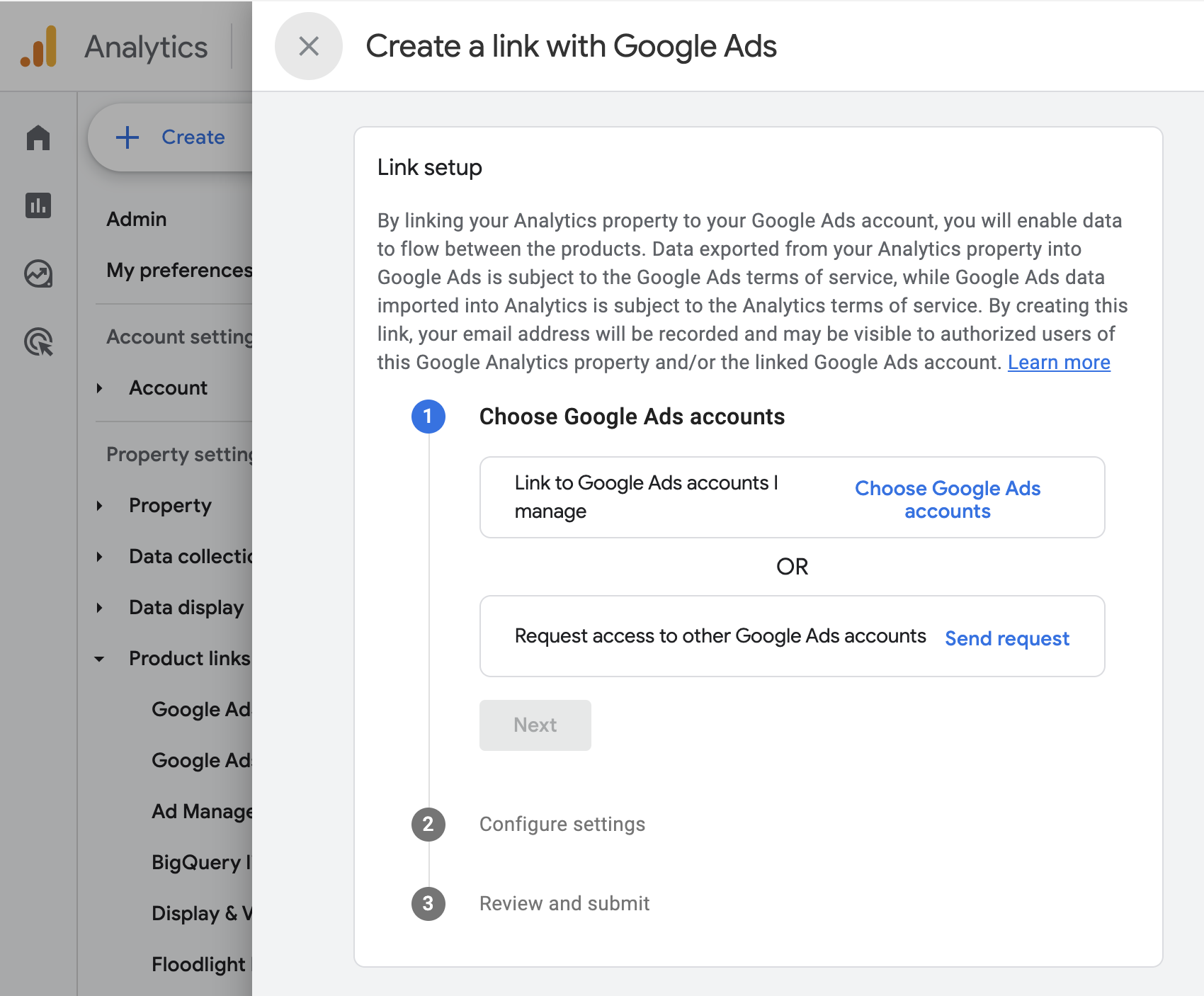
Under the property column, select Product links > Google Ads links.
Click Link and choose the Google Ads accounts to connect.
Click Confirm, then Next.
Review the settings and click Submit.
What you need
To complete the link, you need:
Administrative access to the Google Ads account.
Edit permissions on the Google Analytics 4 property.
If you are not an admin in the Google Ads account, you can use Request access to other Google Ads accounts in the Analytics linking flow and ask an admin to approve it.
Data timing
After you link Google Ads to Google Analytics, it can take up to 48 hours before Google Ads data appears in Google Analytics reports. Once the data is available in Google Analytics, Metorik can usually sync it automatically.
If you enable app and web metrics import in Google Ads, Analytics data is normally imported in less than an hour, though larger accounts may take longer.
Connect Google Analytics in Metorik
After Google Ads and Google Analytics are linked, connect the Google Analytics integration in Metorik from your store’s integrations settings. Metorik will then pull the Google Ads data that is available in your Analytics property.
For a full walkthrough, see Google Analytics Integration.
Currency and timezone
Match the currency and timezone in Google Analytics to your store’s settings in Metorik for the most accurate reporting. If your Google Ads account uses a different currency, Metorik will convert it to your store’s currency automatically.