
Filter Abandoned Carts to Exclude Recovered Carts
When segmenting carts in Metorik, the Cart Status: Abandoned filter includes all abandoned carts—including those that were later recovered. To focus only on carts that are abandoned and not yet recovered, you need to add an additional filter.
Add the Cart Status filter
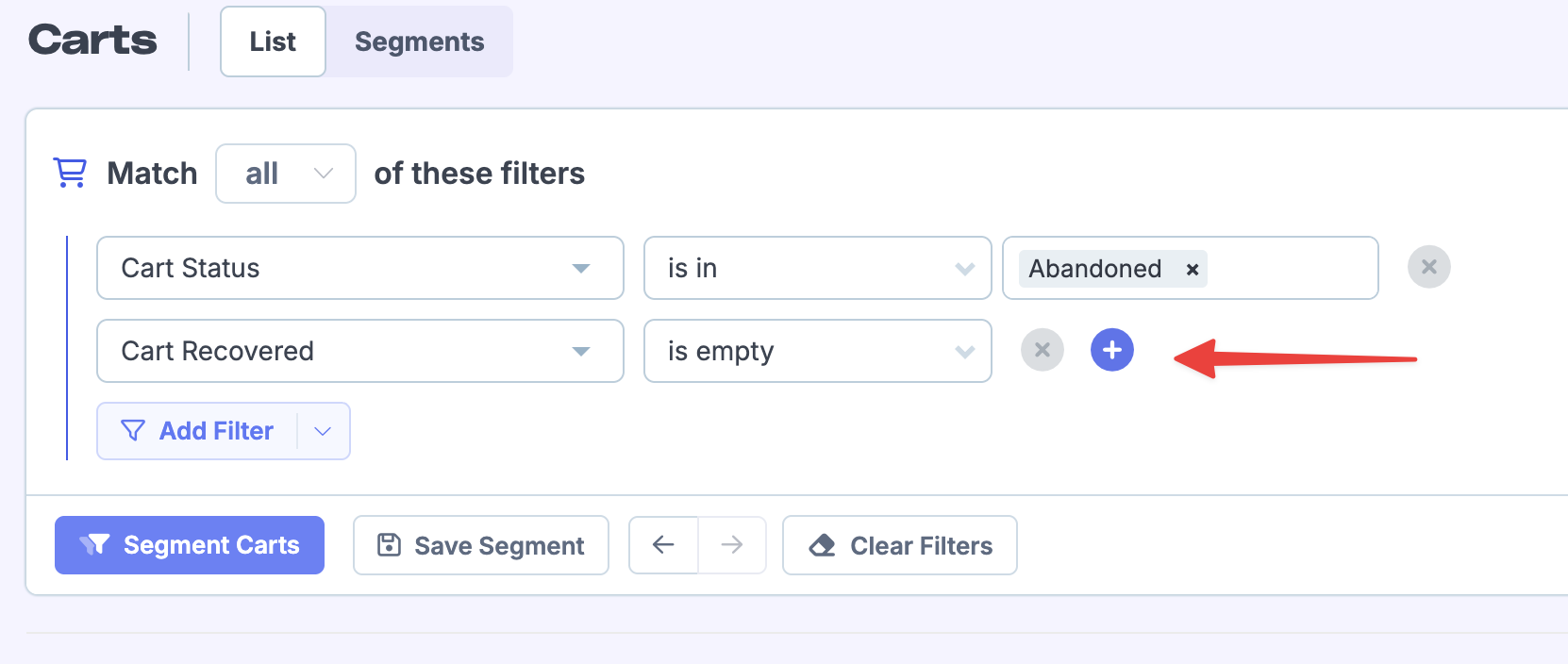
Go to Carts and open the segment builder. Add a filter for Cart Status → is in → Abandoned.
Add the Cart Recovered filter
Click the + button to add another filter. Select Cart Recovered → is empty. This excludes any carts that have been recovered.
Apply the segment
Click Segment Carts to see only abandoned carts that haven't been recovered. You can also save this segment for reuse.
A cart is marked as Recovered when a customer completes their order after clicking a cart recovery link from a Metorik Engage email, or returns to complete the cart within 1 day of receiving the email. For more details, see Cart Recovery Conversion Tracking.