
That customer or order does not have a billing company value, so Metorik is using the configured fallback.
Customize customer and role display names
From the Display Names settings you can choose which name Metorik uses for customers and give WooCommerce customer roles friendlier labels. Only users with store admin access can save these settings.
Open your Store Settings and go to Settings → Store → Display Names.
Click Edit names.
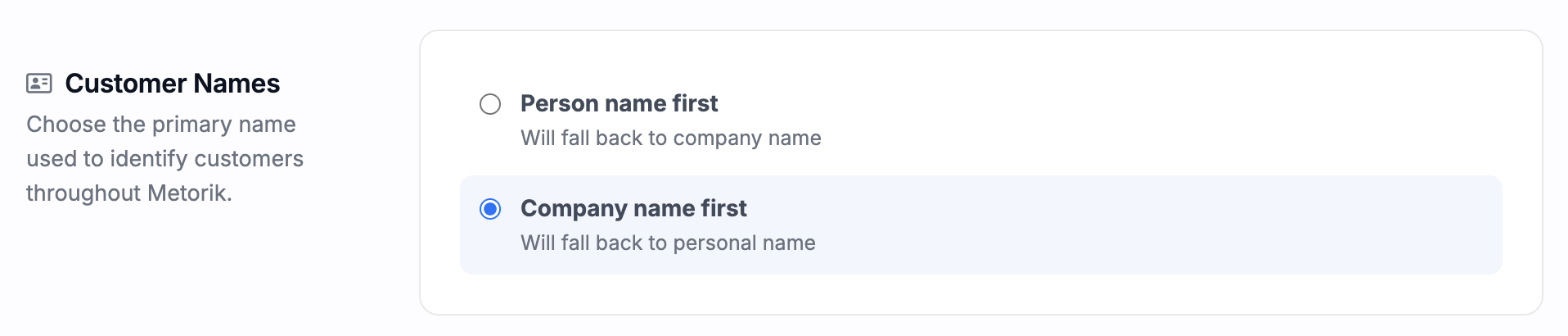
Customer names
The Customer Names setting controls which name Metorik uses as the primary label for customers throughout the selected store.
Person name first (the default) uses the customer's first and last name. If unavailable, Metorik falls back to the company name. Useful for B2C.
Company name first uses the billing company name. If unavailable, Metorik falls back to the customer's first and last name. Useful for B2B.
The company name comes from the customer or order's imported billing company field. The fallback is automatic on each customer, so choosing company-first will not leave customers unnamed when no company is available.
This is a store-specific setting, so different stores can use different preferences. It changes how names are displayed in Metorik only and does not modify customer data in your connected store. No reimport is required: the preference applies immediately after saving. Where appropriate, Metorik may still show the alternative name as secondary information.
It affects customer identification across areas such as customer, order, refund, and subscription lists, global search, reports and maps, dashboards and activity feeds, Engage screens, and digests.
Customer roles (WooCommerce only)
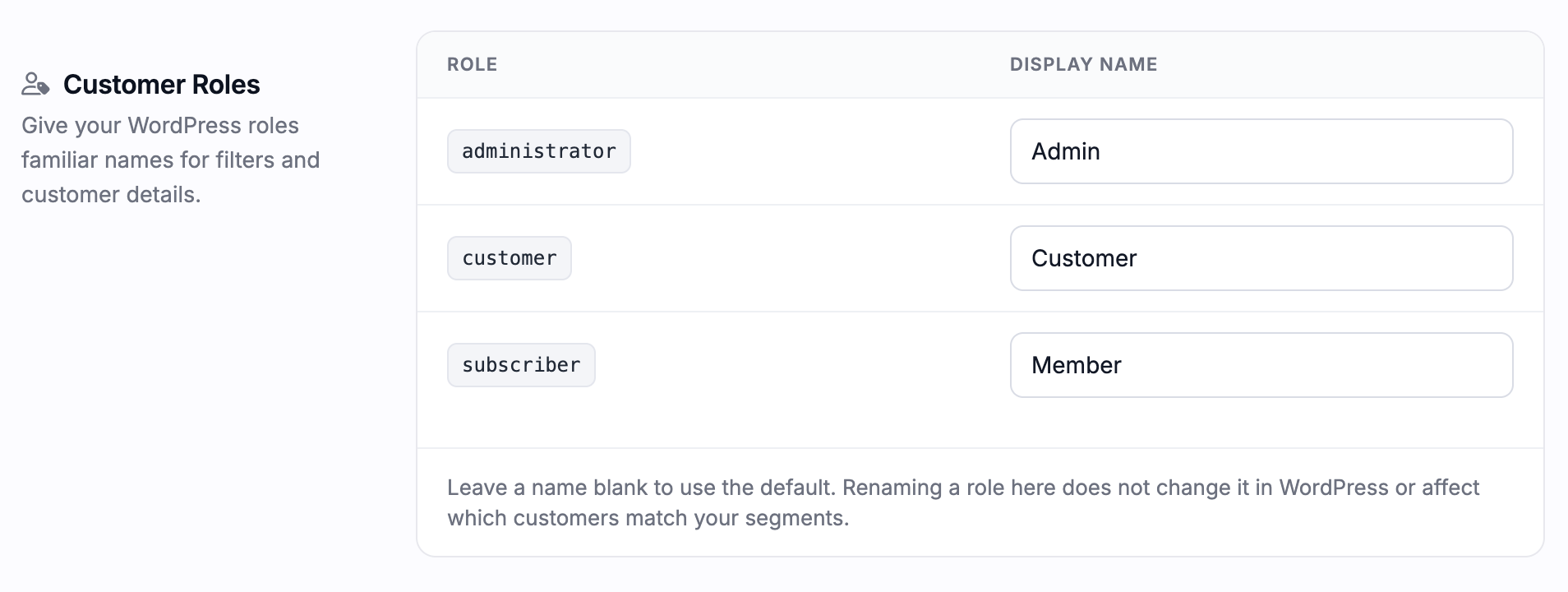
The Customer Roles section is available for WooCommerce stores. It lets you replace technical WordPress role names with friendlier labels, for example wholesale_customer becoming "Wholesale", trade_tier_1 becoming "Trade Partner", or vip_customer becoming "VIP".
Roles appear after customers with those roles have been imported.
Leaving a display name blank uses Metorik's automatically formatted default, such as
wholesale_customerbecoming "Wholesale Customer".Previously customized roles remain available even if no current customer uses them.
Renaming a role only changes its label in Metorik. It does not rename the WordPress role, change customer memberships, or alter how segments and filters match customers.
Multiple roles can use the same display name, because filtering continues to use the underlying role key.
Troubleshooting
Company-first still shows a person's name
A customer role is missing
The role will appear after a customer using it has been imported into Metorik. Plugin-only roles that the WooCommerce API does not return cannot be seen or filtered by Metorik; see WooCommerce: Why customer roles don't show correctly in Metorik.
The Customer Roles section is not shown
Custom role labels are currently specific to WooCommerce stores.
Was this helpful?
Was this helpful?