
Email sending paused due to high bounce or spam rate
When your bounce or spam rate exceeds acceptable levels, Metorik may pause Engage email sending to protect your deliverability. Resume sending by completing the steps below, then contacting support so we can review and unpause your account.
Why sending was paused
Metorik follows the recommendations of our email provider, Postmark. Your bounce rate should be under 10% (ideally under 5%) and your spam rate must be under 0.1%. Sending may be paused when either threshold is exceeded, because high rates damage your domain reputation and can cause emails to be blocked.
Steps to take before contacting support
1. Verify your domain settings
Go to Engage > Domain Settings and check that both DKIM and Return Path show as verified/green. These must be active before sending can resume. If either is not verified, re-verify them and wait until the status updates.
2. Review the affected campaign or automation
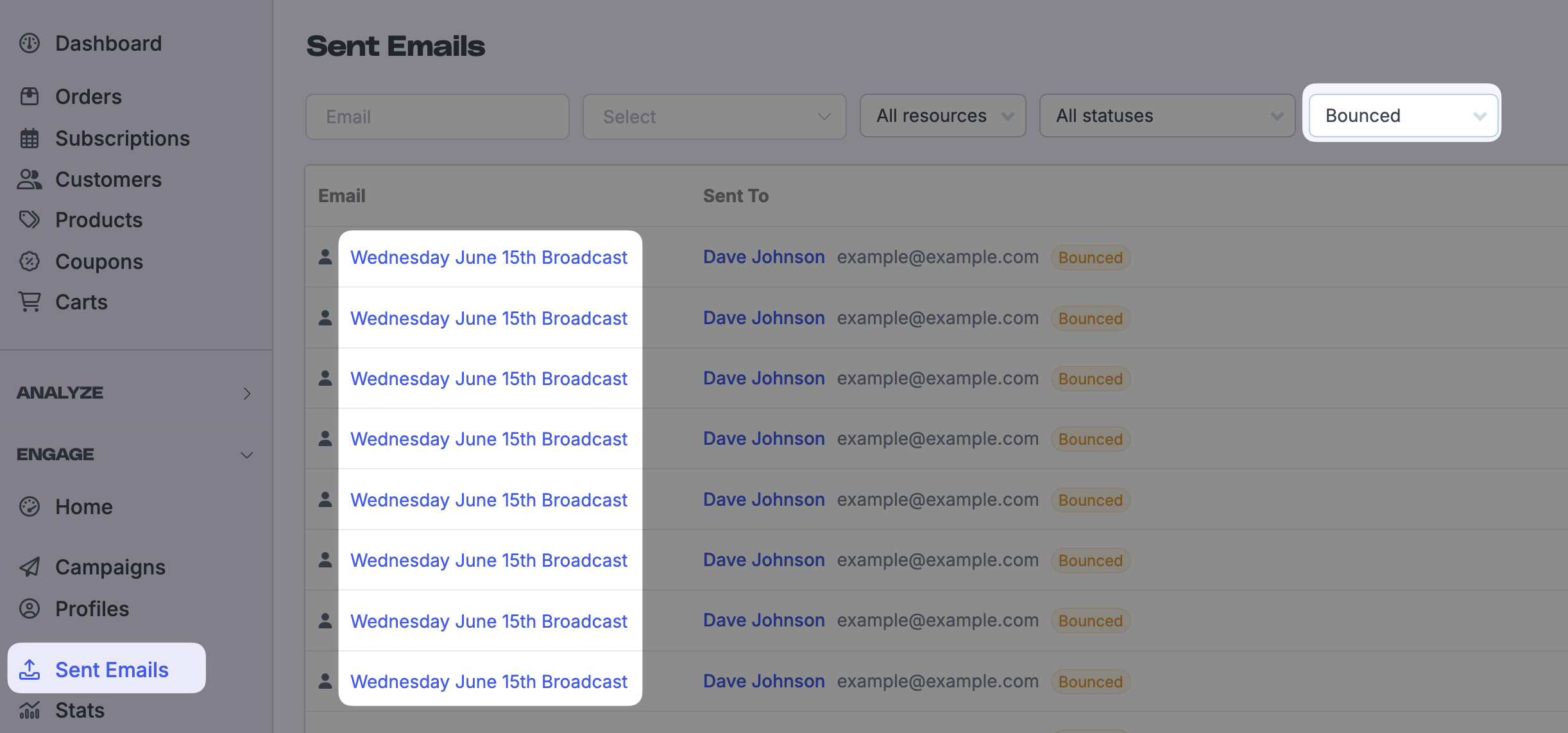
Identify which broadcast or automation caused the high bounce or spam rate. Open the stats page for that campaign and review the bounce and complaint numbers. Look at Engage > Sent emails for additional context on recent delivery failures.
3. Narrow your audience and adjust filters
Reduce future risk by tightening the segment that receives the email:
Avoid emailing customers who have not ordered in a long time, or customers who have never ordered.
Add a filter so only recent customers (for example, customers who ordered in the last 6–12 months) are included.
Import unsubscribes from other platforms so you do not email contacts who have already opted out.
If you are seeing a large volume of fake signups or bot traffic, consider using a firewall or CDN to reduce fraudulent submissions before they reach your email lists.
4. Check your email content and unsubscribe flow
Make sure your emails are relevant to the audience and that the unsubscribe link is easy to find. A clear unsubscribe option reduces spam complaints. Follow the unsubscribing guide if you need to review how unsubscribes work in Metorik.
How to resume sending
Once you have completed the steps above, contact Metorik support and tell us:
Which campaign or automation caused the high bounce or spam rate.
What you changed to fix the issue (for example, verified DKIM/Return Path, tightened filters, removed old recipients, added bot protection).
We will review the changes and resume sending for you. We cannot resume sending until the cause is addressed, because the provider may pause delivery again if the rate stays high.