
Why Subscription Events and Subscriptions report (Active subscriptions) numbers differ
The Subscription Events report and the Subscriptions report measure different things and should not be expected to match. The Subscriptions report tells you how many subscriptions were active on a given day, while the Subscription Events report counts events such as signups, renewals, and subscriptions whose end date was met.
How the discrepancy looks
A common expectation is that you can add the net change from the Subscription Events report to a starting active-subscription total and arrive at the ending total from the Subscriptions report. In practice this does not work.
For example, a store may see:
Active subscriptions on 30 November: 196,660
Net change in December: -3,743
Expected active subscriptions on 31 December: 192,917
Actual active subscriptions on 31 December: 192,545
The gap of 372 subscriptions exists because each report draws from a different dataset and logic.
What the Subscriptions report counts
The Subscriptions report shows active subscriptions based on status history and your store's subscription settings. It considers whether a subscription is active, pending cancel, on hold, or cancelled, and uses those settings to decide what counts as active and when a subscription is considered churned.
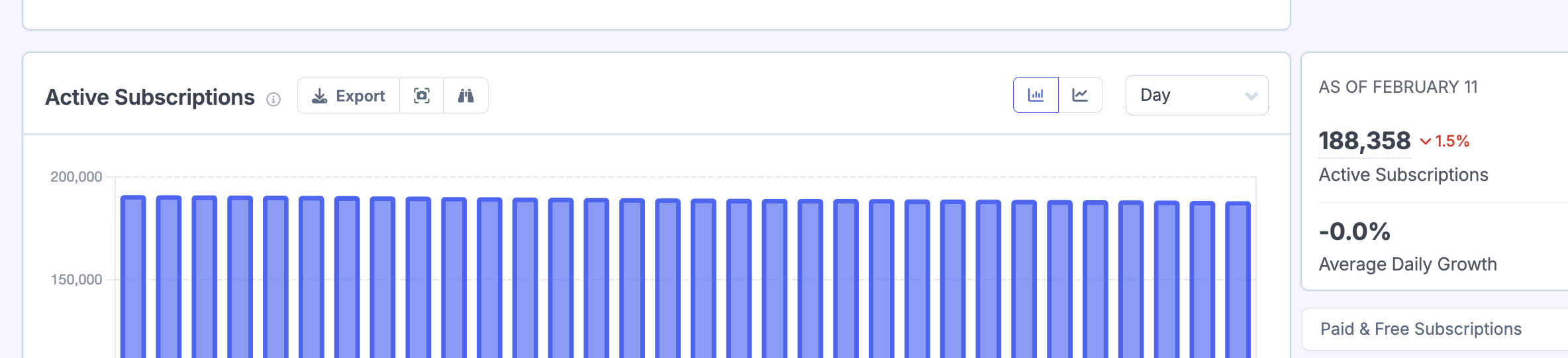
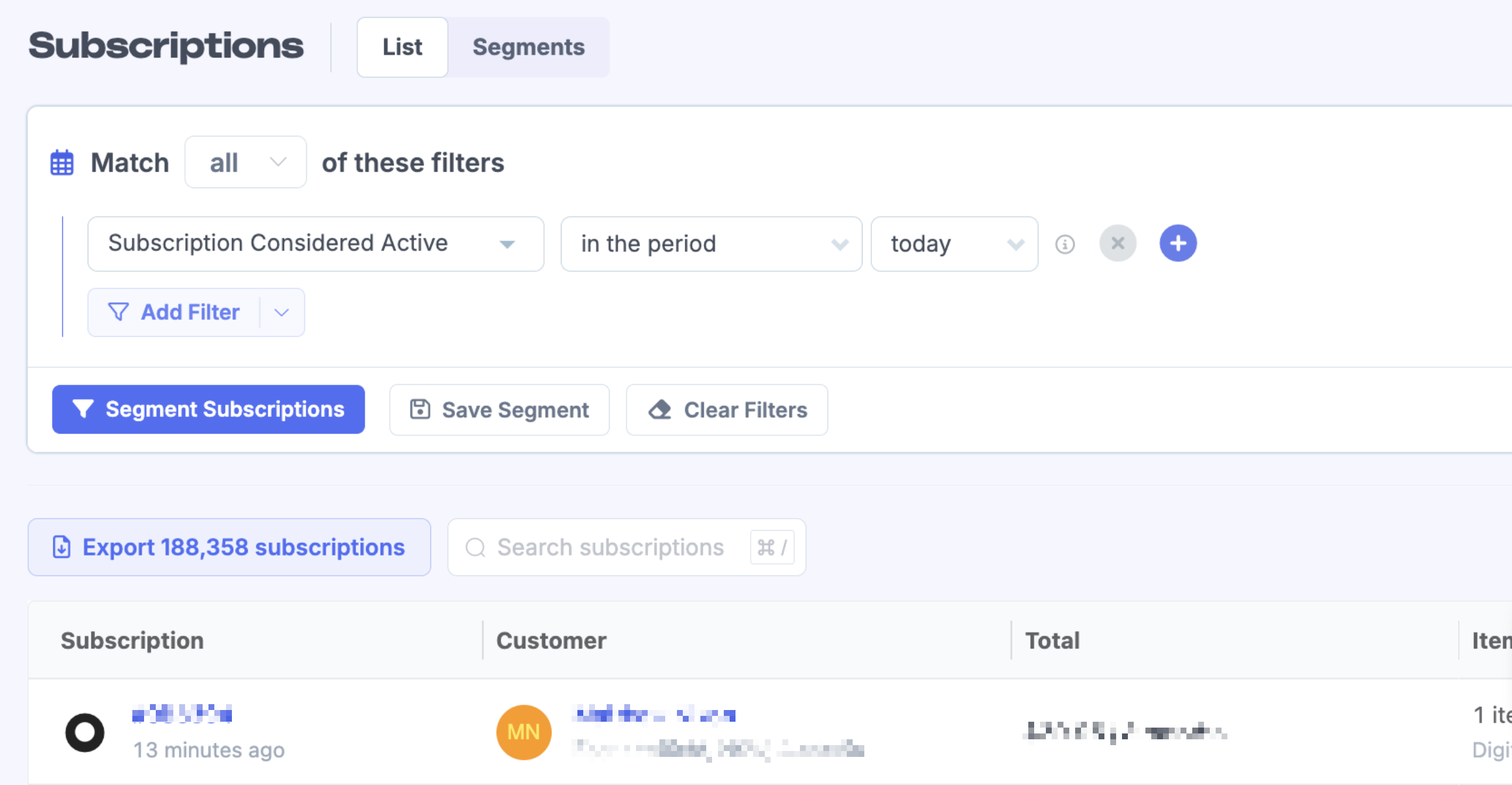
You can verify the current active count by using the Subscriptions page with the filter Subscription Considered Active set to the same period. There can be a very small difference between the report and the filter because the filter pulls directly while the report updates every few minutes.
What the Subscription Events report counts
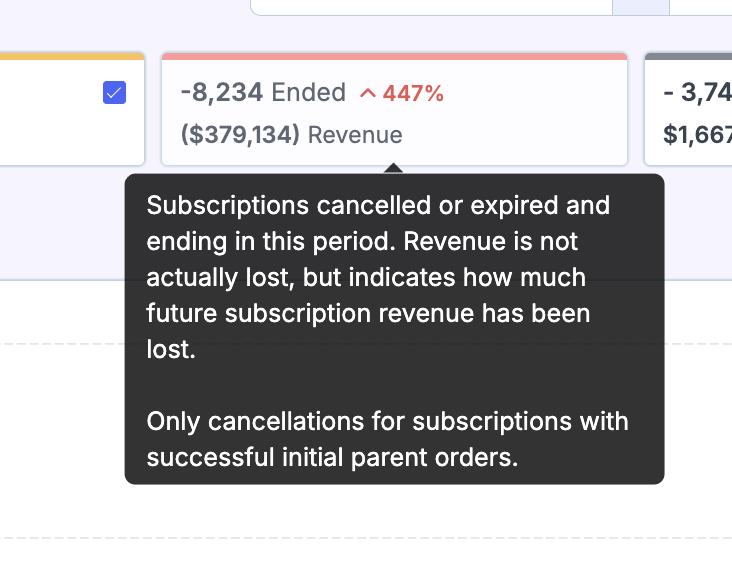
The Subscription Events report focuses on subscription events: new signups, renewals, switches, and ended subscriptions. The Ended metric specifically counts subscriptions whose end date was met in the period, provided the initial parent order was successful.
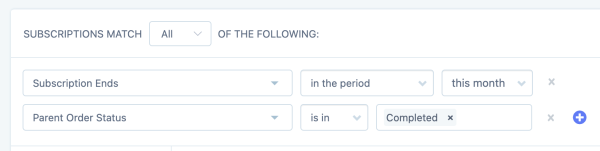
If you segment the Subscriptions page to find these exact subscriptions, you would filter for Subscription Ends in the period and Parent Order Status is Completed.
The main reason they differ: on-hold subscriptions without end dates
At present the Subscription Events report does not include subscriptions that are on hold when there is no end date on them. Because the end date has not been reached, they are not shown as Ended in the events report.
These same subscriptions are still factored into the Subscriptions report. Whether they count as active or churned depends on your store settings, but they are included in the calculation. This creates a gap between the two reports.
Which report to use when
Use the Subscriptions report when you need the exact number of active subscriptions on a specific date.
Use the Subscription Events report when you want to see how many subscriptions signed up, renewed, or reached their end date in a given period.
If your numbers seem unexpected, check your store subscription settings to see how on-hold and pending-cancel subscriptions are treated. Read more about subscription reports and why active subscription numbers can change for the same historical date.