
Product costs not showing correctly on orders
If your product costs are showing correctly on product pages but orders (especially older ones) don't have costs applied, you may need to run the cost calculation tool.
Why orders don't show costs
When you first set up product costs in Metorik, those costs are only applied to future orders automatically. Existing orders from before you added costs won't have the costs applied until you run the calculation tool.
This means:
New orders — costs are applied automatically going forward
Historical orders — need the Calculate tool to apply costs retroactively
Run the Calculate tool for existing orders
To apply your product costs to orders that already exist in Metorik:
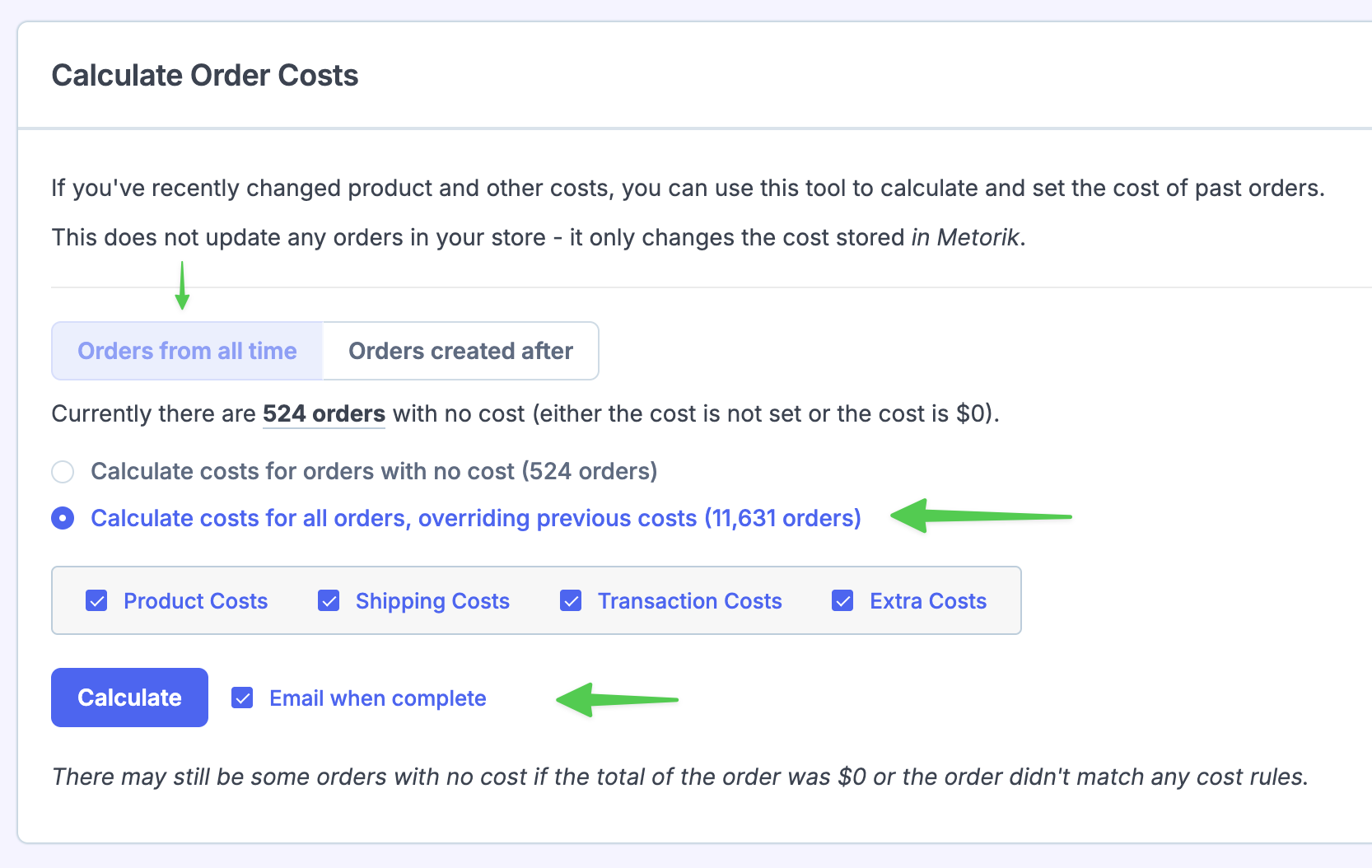
Go to Cost Tools
Navigate to Cost Tools in your Metorik dashboard.
Click Calculate
Click the Calculate button to run the calculation for existing orders.
Choose calculation scope
Select between:
Orders missing a cost — applies costs only to orders that don't have a cost set yet
All orders (overriding previous costs) — recalculates costs for all orders, replacing any existing cost values
You can also limit the calculation to orders from all time or only orders created after a certain date.
Select which costs to recalculate
If you chose to override all orders, select Product Costs to apply your product/variation costs. You can optionally include other cost types like shipping, transaction, or extra costs.
Confirm and wait
Confirm the calculation. Metorik will process your orders and send you an email when it's complete.
Understanding the Products page
On the Products list page, the Cost column shows the total cost of goods sold for that product across all orders in your selected time period, not the per-unit cost of the product.
For example, if a product costs $5 each and you've sold 10 units, the Products page shows $50 (total), not $5 (per unit).
To see the per-unit cost for individual products and variations, go to Costs → Products.