
Managing Costs & Profit for Raffle or Competition Stores
Metorik's costs and profit system has been design and built for "typical" eCommerce businesses – where the cost of the items sold is "fixed" and not related to how many units were sold.
Set one total prize cost for each competition product. We share it across tickets in processing and completed orders, after refunded quantities are deducted, and update past orders automatically as sales, refunds or the total change.
This is available for WooCommerce stores. Contact [email protected] to have it enabled first.
Set a total for one product
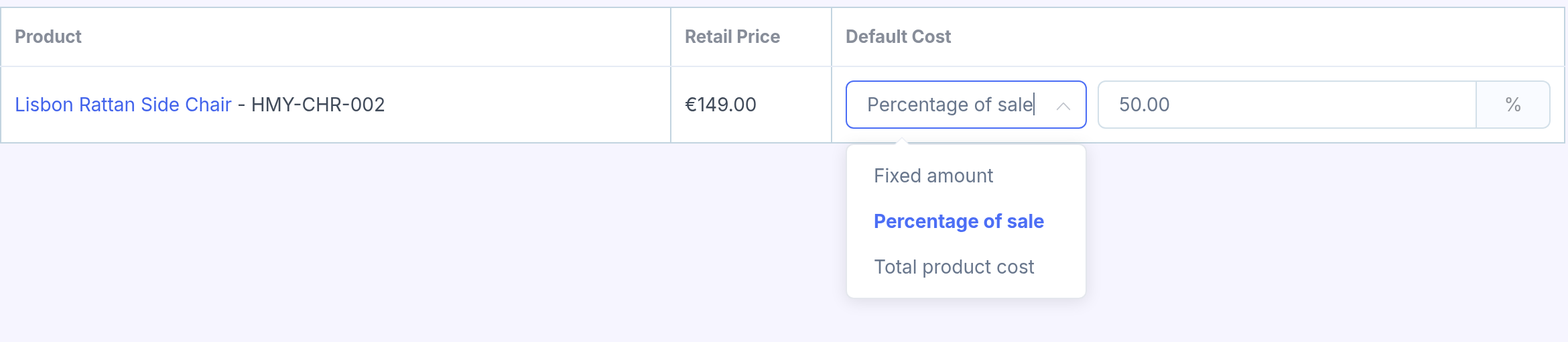
Open Costs → Products and find your competition product.
Under Default Cost, choose Total product cost from the dropdown.
Enter the whole prize cost in your store's currency, not the cost per ticket.
Click Save Changes.
Sync totals from WooCommerce
Use the global setting if you already store each product's total prize cost in a WooCommerce custom field.
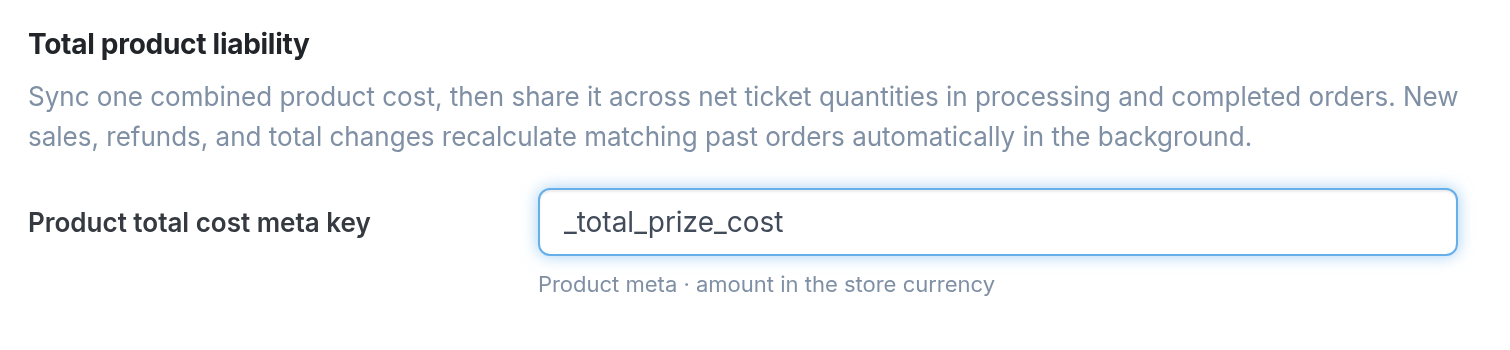
Store the numeric total in a product custom field, in your store's currency. For example, use
_total_prize_cost.Open Costs → External.
Under Total product liability, enter the field's key in Product total cost meta key.
Click Save Changes. We read each product's total when it next syncs from WooCommerce.
Manual product costs take priority over this global field. Recalculation runs in the background, so allow time for reports to update.