
Set product costs as a percentage of sale
Products and variations can have their cost set as a fixed amount or as a percentage of the sale. Percentage costs accept values from 0 to 100, including fractional percentages.
Set a percentage cost
Open the product or variation costs page
Head to the product costs page or the variation costs page under Costs.
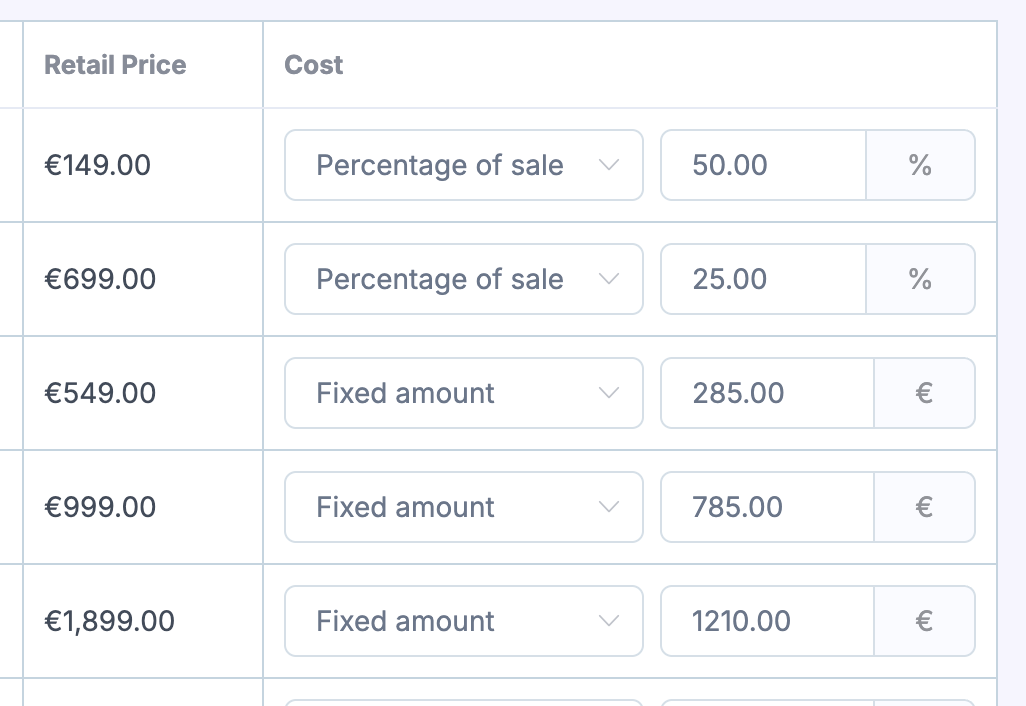
Choose the cost type
Set the cost type to percentage of sale instead of a fixed amount.
Enter the percentage
Enter a value from 0 to 100. Fractional percentages are supported.
If you're new to Metorik's costs system, start with Setting Costs in Metorik.
How percentage costs calculate
A percentage cost uses the line item's sale total after discounts, excluding tax and shipping, in your store's currency. For example, a 30% cost on a discounted line total of $80 produces $24 COGS.
Fixed costs continue to work as before: the unit cost is multiplied by the quantity.
Percentage costs and existing orders
Changing a product or variation cost only applies to new orders. To apply the change to orders that already exist, use the Calculate tool on the cost tools page. Date-based rules are selected using the order's creation date. See How product cost changes affect historical orders for details.
Which cost applies
Metorik uses these rules to decide which cost to use:
Variations without their own applicable rule inherit the product's cost.
A product percentage takes priority over an undated fixed variation default.
Explicit variation percentages and applicable dated variation rules keep priority.
Fixed defaults are preserved for use outside a dated percentage window.
Syncing with WooCommerce and Shopify
When a percentage cost set in Metorik applies, it takes priority over fixed costs synced from your store, including inherited product percentages. When no percentage takes priority, fixed-cost syncing continues normally. See Automatic Product Cost Syncing.
Reports and inventory
Product and variation listings and product details show the currently applicable cost, including dated rules and inherited percentages.
Percentage costs count as configured costs, but they can't provide a monetary inventory valuation. Affected inventory values display N/A rather than zero.
CSV import and export
The bulk cost CSV includes a Cost Type column (fixed or percentage) and a Cost Percentage column.
Fixed costs use the existing COGS column.
Percentage rows can omit the COGS column.
Older files with no Cost Type column continue to use fixed costs.
Zero percentages are supported.