
Metorik Properties
Metorik Properties are named fields you can attach to any Customer or Engage profile, like loyalty_tier, wholesale_status, preferred_store, or account_manager. They're stored in Metorik itself, not in Shopify or WooCommerce, so you can bring in additional classifications that your store doesn't track, and use them across Metorik without syncing anything back to your store.
Properties are different from Custom Fields, which are the meta data from WooCommerce or additional details from Shopify. Properties live only in Metorik and are never written back to your store platform.
Contents
How to add or edit properties on a customer or profile
Edit their properties
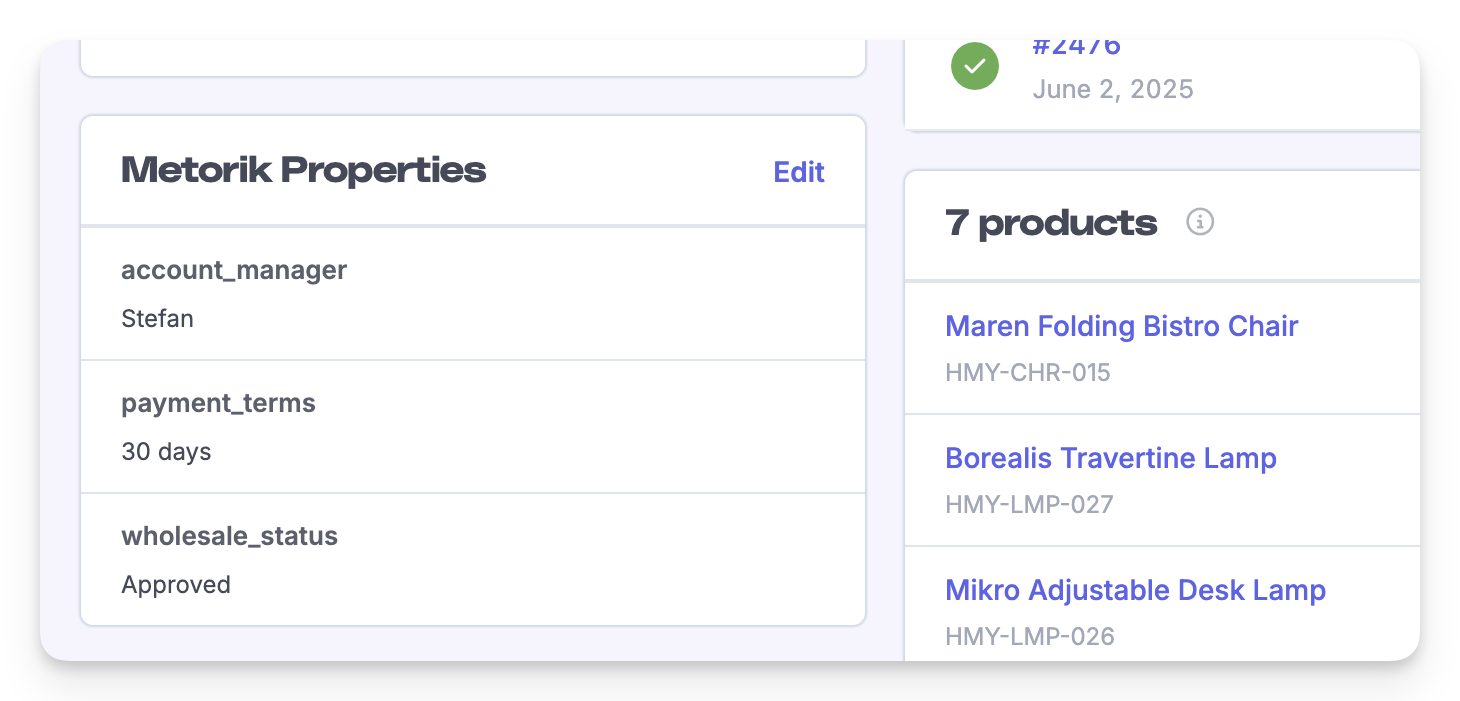
Edit the properties on the page: choose an existing property name or create a new one, then add values, update existing ones, or remove the ones you no longer need. A person can have multiple values for a property.
Import properties in bulk
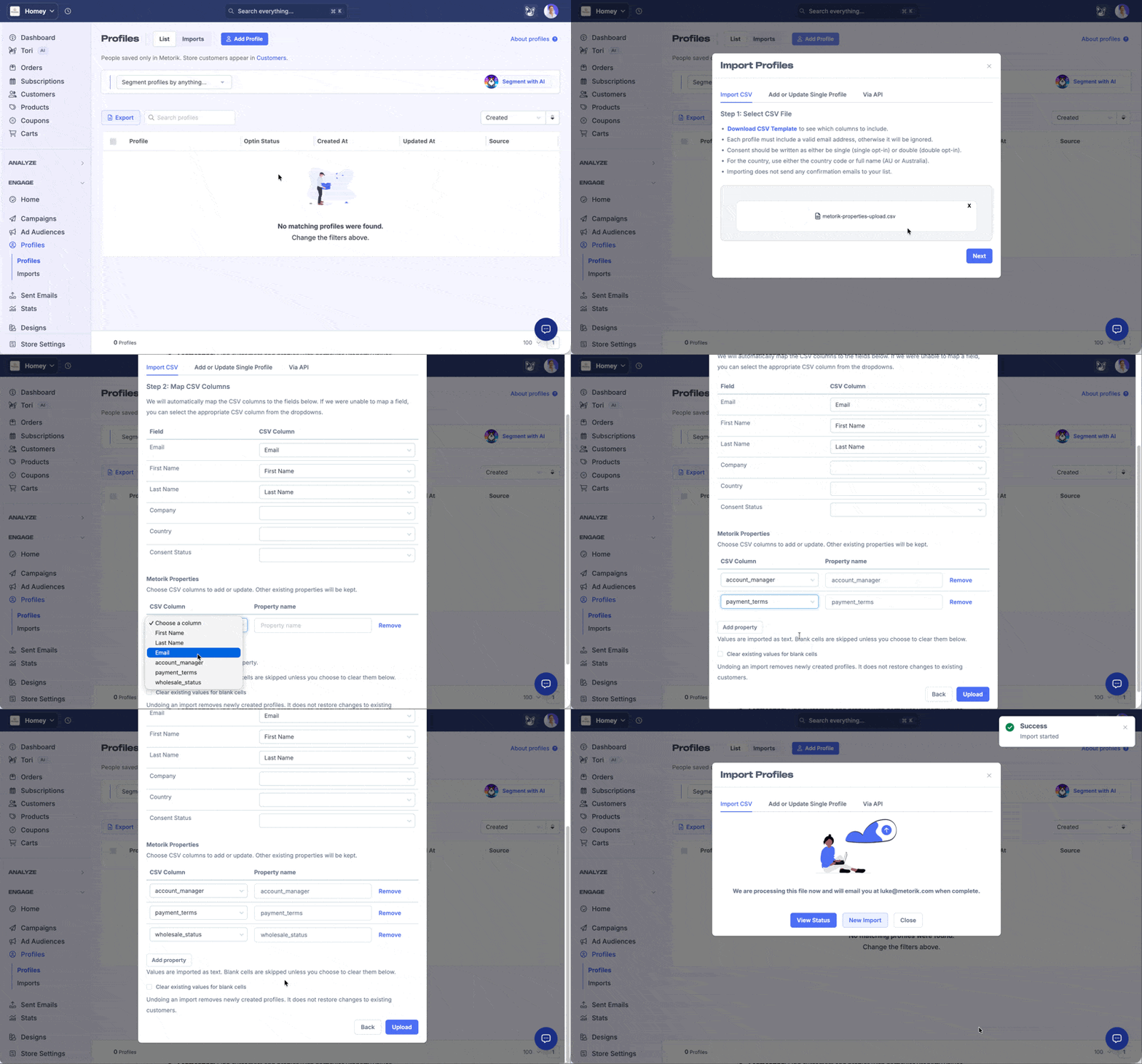
Use the Profiles CSV importer to add or update properties for many profiles or Customers at once.
Go to the Profiles page and click Add Profile.
Download the template CSV or prepare your own file, then drag and drop it in and click Next.
Map the CSV columns you want to property names.
Click Upload.
Imports add and update only the properties you mapped, so the rest of each profile stays untouched. If a mapped cell is blank, you can have the import clear that property.
Find customers with a property
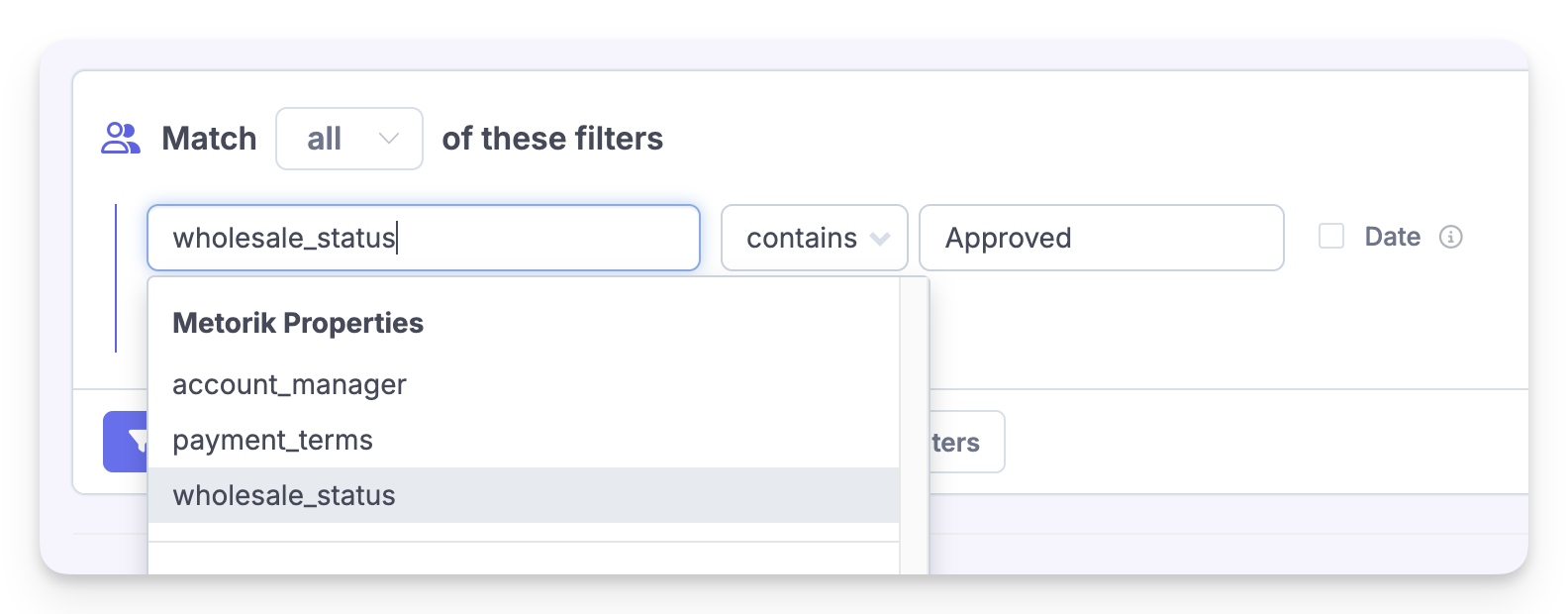
Filter the customer and profile lists by any property, then save the filter as a segment to reuse in reports, digests, and Engage audiences. For example, save a segment of customers by their wholesale_status property. Learn more in Segmenting Data.
Properties in tables, exports, and reports
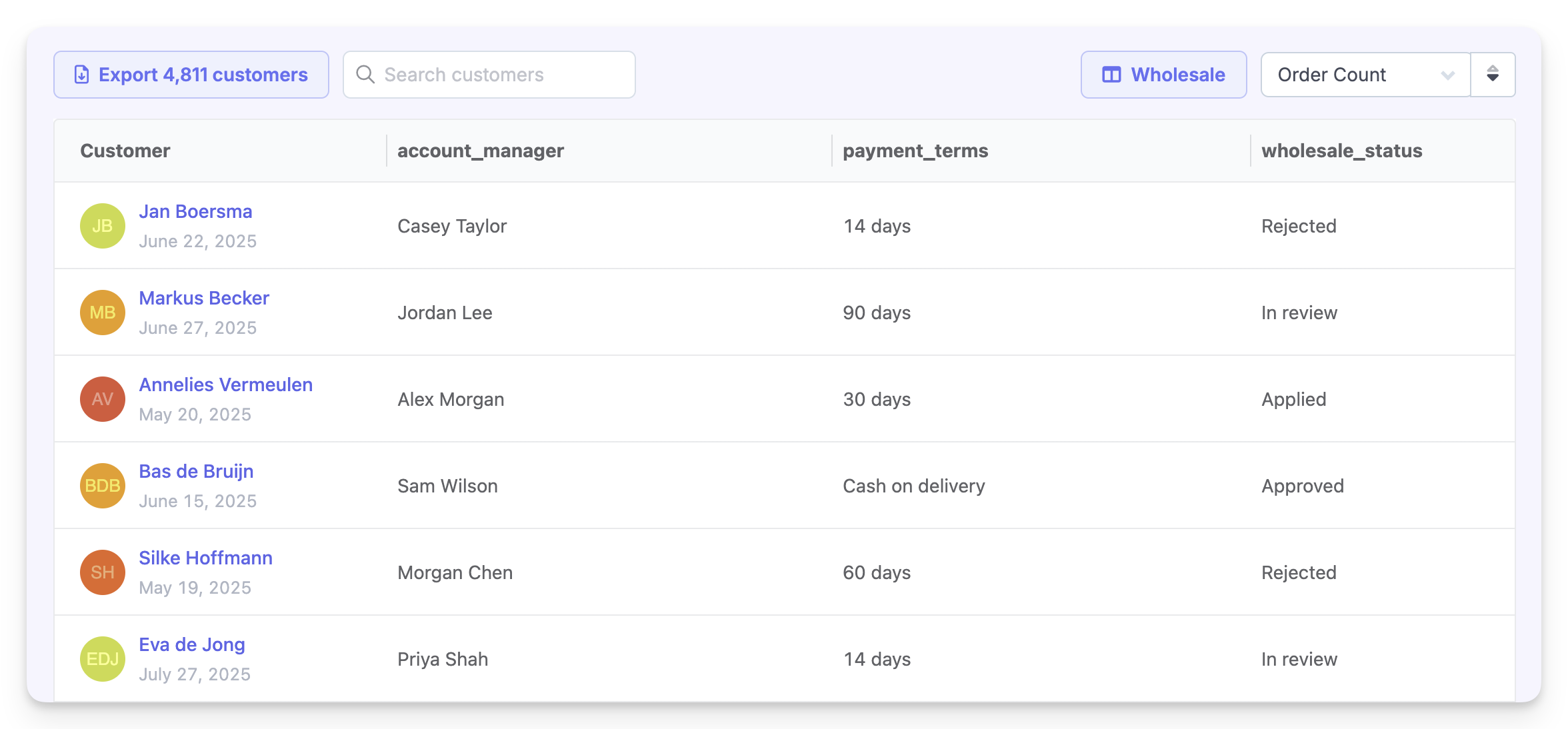
Add property values as custom columns in customer and profile tables, include selected properties when you export, and group customer reports by a property, such as seeing customers, orders, and spend by loyalty_tier or account_manager.
Use properties in Engage emails
Insert a property into your Engage email content with an optional fallback value for when a person has no value set. This works with customer, order-related, and refund-related messaging, and it works with fallbacks the same way described in Variable fallbacks for Engage. Two variable forms are available:
{property:key}inserts the value as text. HTML tags in the value are escaped so they display as text, and newlines become line breaks.{property_html:key}inserts the stored value directly as HTML, without escaping tags or converting newlines. Rendering is opt-in through the variable syntax itself, so it does not depend on the type of email block you use.
For example, if you send add_properties: { "recommendation": "<p>Hello <strong>there</strong></p>" } through the API, {property_html:recommendation} renders the formatted content in the email, while {property:recommendation} displays the markup as plain text.
Fallbacks and name matching
Both forms support fallbacks: {property_html:recommendation|<p>Welcome!</p>} uses the fallback when the property does not exist for the person. If the property exists but is empty, it stays empty. Property names are matched case-insensitively.
Inserting HTML properties in the email editors
Variables stay visible as brace-delimited text in templates, so you can also type {property_html:key} directly. The HTML form works in all three editors: the drag-and-drop builder, the classic visual editor, and the custom HTML editor.
In the drag-and-drop builder, the variable dropdown includes a Metorik Properties (HTML) group, and each property in it has a label ending in (HTML). Raw HTML options are excluded from the dropdown's link-variable menu.
In the other body variable selector, the Fields & Properties tab has a Render Metorik Properties as HTML checkbox that appears before you choose a property. It only changes how Metorik Properties are inserted, not platform custom fields, and it is not offered when editing subjects or preview text.
If you use the HTML form manually in a subject or preview text, tags are stripped and HTML entities are decoded to plain text. Use the HTML form for body content, not inside URLs or HTML attributes.
Only insert HTML you intend to render. The HTML form does not sanitize or escape the markup you supply. Links in the inserted HTML still receive the normal store-link tracking behavior.
Use properties through the API
Customer API responses return a separate properties object, and you can filter with fields like properties.loyalty_tier.
Through the Engage Profiles API, you can replace a profile's whole property set, add or update individual values, or remove selected keys, without resubmitting the profile's other fields. See the Engage API guide.
Property values are stored as text, so you can send an HTML string as a value inside JSON (for example in add_properties) and Metorik preserves it when storing and returning it. There is no separate HTML property storage type or API input field; whether the HTML renders is decided in the email with the {property_html:key} variable.
Ask Tori about properties
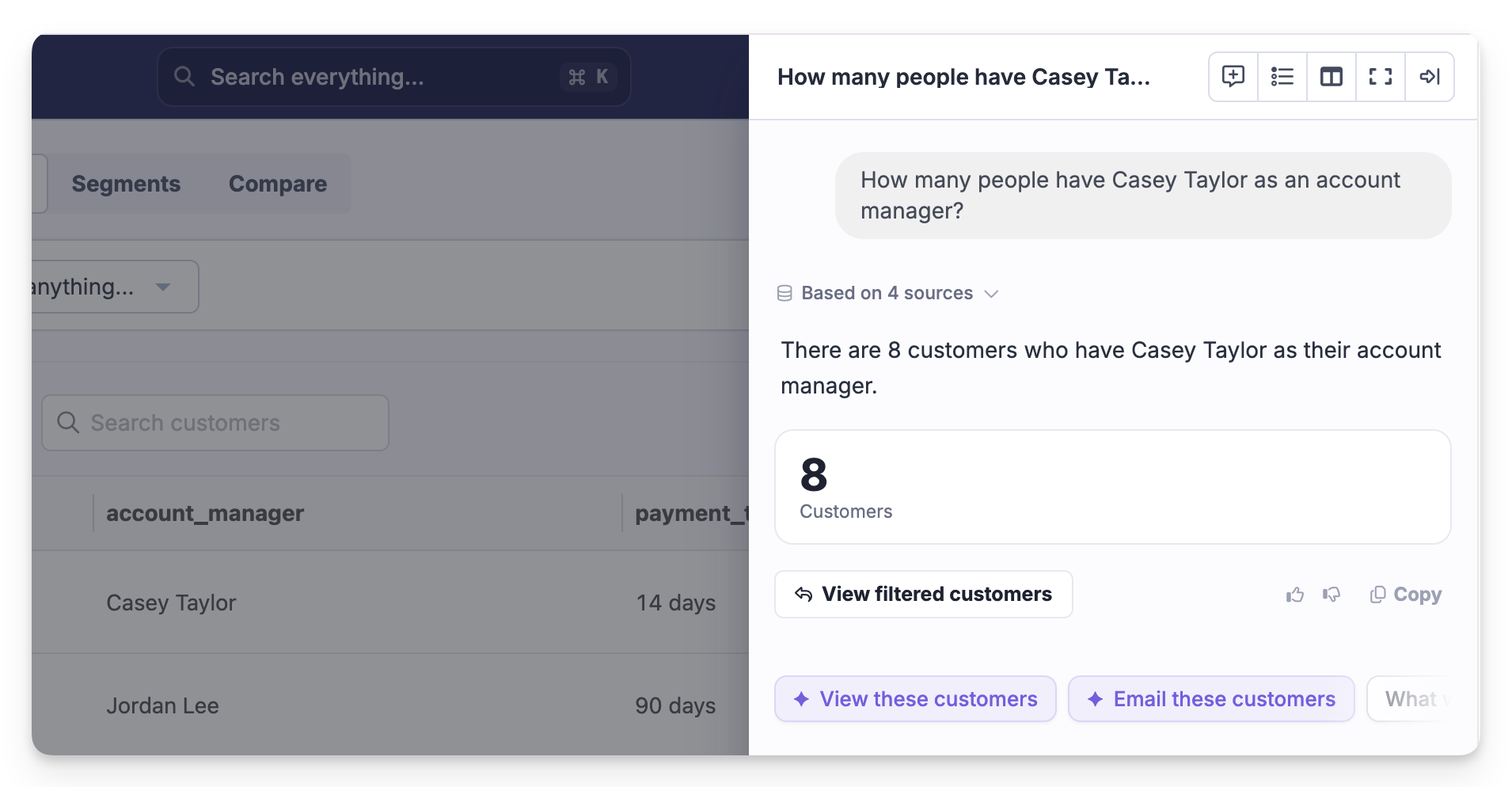
Tori and connected MCP clients can discover your property names, filter customers by them, and group reports using them. Properties are read-only through these AI integrations: to add or change them, use the Metorik UI or API.
Limits and rules
Each person can have up to 100 properties.
Values are stored as text, so numbers and booleans are accepted but treated as text. This suits classification and segmentation more than numeric calculation.
Property names are case-insensitive and support letters, numbers, underscores, and hyphens. Names with spaces don't work, so
loyalty_tierworks but a name with spaces doesn't.Properties apply to customers and Engage profiles only, not products, orders, or other data.