Sharing a Broadcast with a Public Link
Any sent broadcast can be shared with a public Metorik link, so anyone can read your newsletter, including people who aren't subscribed. Sharing is optional and off by default, and you turn it on from the broadcast page.
Before you start
Only sent broadcasts can be shared, including older ones. Drafts, future scheduled broadcasts and automations can't be shared.
Your store needs an active Metorik subscription or trial, a verified Engage sender, and broadcast sending enabled. While any of these isn't in place, existing public links stop working. If you need help with sender verification, see Domain & Email Verification.
Admins, editors and marketers can all preview the public version, enable sharing, and copy or open the link.
Share a sent broadcast
Sharing follows four steps: preview the public version, enable sharing, copy or open the link, and disable sharing whenever you want the link gone. Always review the preview before you share the link anywhere.
Preview the public version
Open the sent broadcast and preview its public version. This shows exactly what anyone with the link will see. Check it carefully before sharing: recipient-specific content like personalised customer and order details and unsubscribe links is removed automatically, but anything you typed into the email yourself still shows, so look for names, addresses or other personal information you entered manually.
Enable sharing
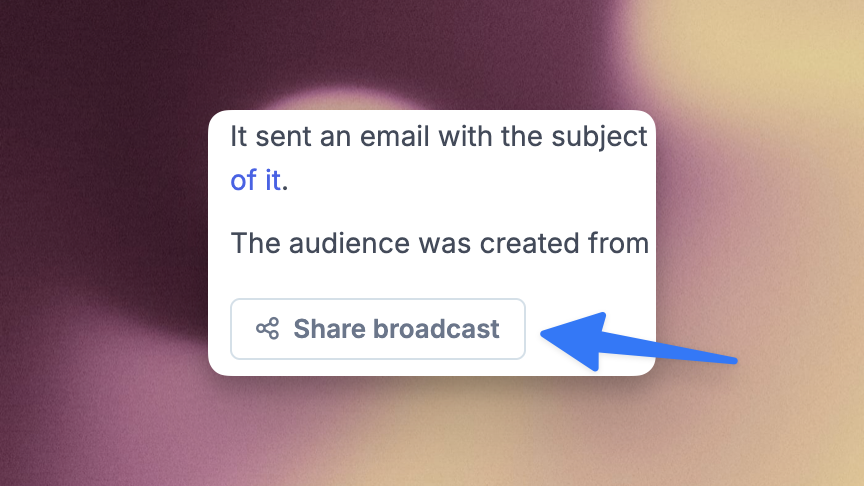
From the broadcast page, click the Share broadcast button. This creates the public link for the broadcast.
Copy or open the link
Copy the link and share it wherever you like, or open it first to see the page the way visitors will. Anyone with the link can view the broadcast without logging in, and pages are marked so search engines don't index them.
Disable sharing
From the broadcast page, disable sharing when you no longer want the broadcast public. The link stops working immediately for everyone.
Review the public preview before you share the link. Automatically removed content does not include personal information you typed into the email yourself.
Editing a shared broadcast
The public page always shows the latest saved content and layout of the broadcast. If you edit the broadcast after sharing, the public page updates to match, while emails already delivered stay as they were. If you change an email that is also public, preview the public version again before sharing the link further.
Enabling sharing again
Disabling sharing invalidates the link immediately. If you enable sharing again later, a new link is created, so anyone using the old link will need the new one. Duplicated broadcasts start with sharing disabled, so you choose for each copy whether to share it.
To create or send a new broadcast, start with Building a Broadcast.