
Changing color modes in Metorik (dark mode)
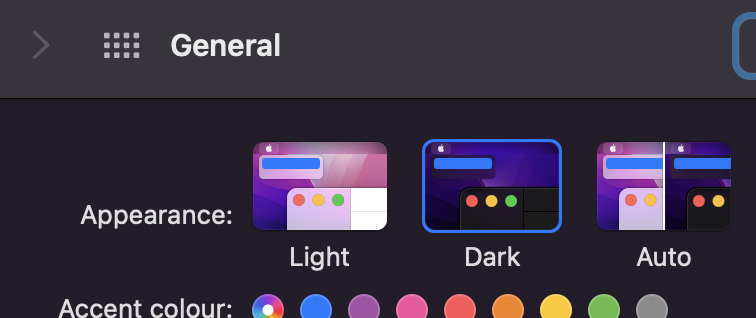
By default, the color mode of the Metorik app will match your system's color mode.
So if your computer was set to Dark mode, Metorik's dashboard will be in dark mode. And if your computer or phone was set to Auto mode (eg. changing to dark at night), Metorik will automatically change with your system.
Manually changing the color mode
In the top right of the Metorik dashboard, click your profile picture, and then you can toggle the color mode from the dropdown:
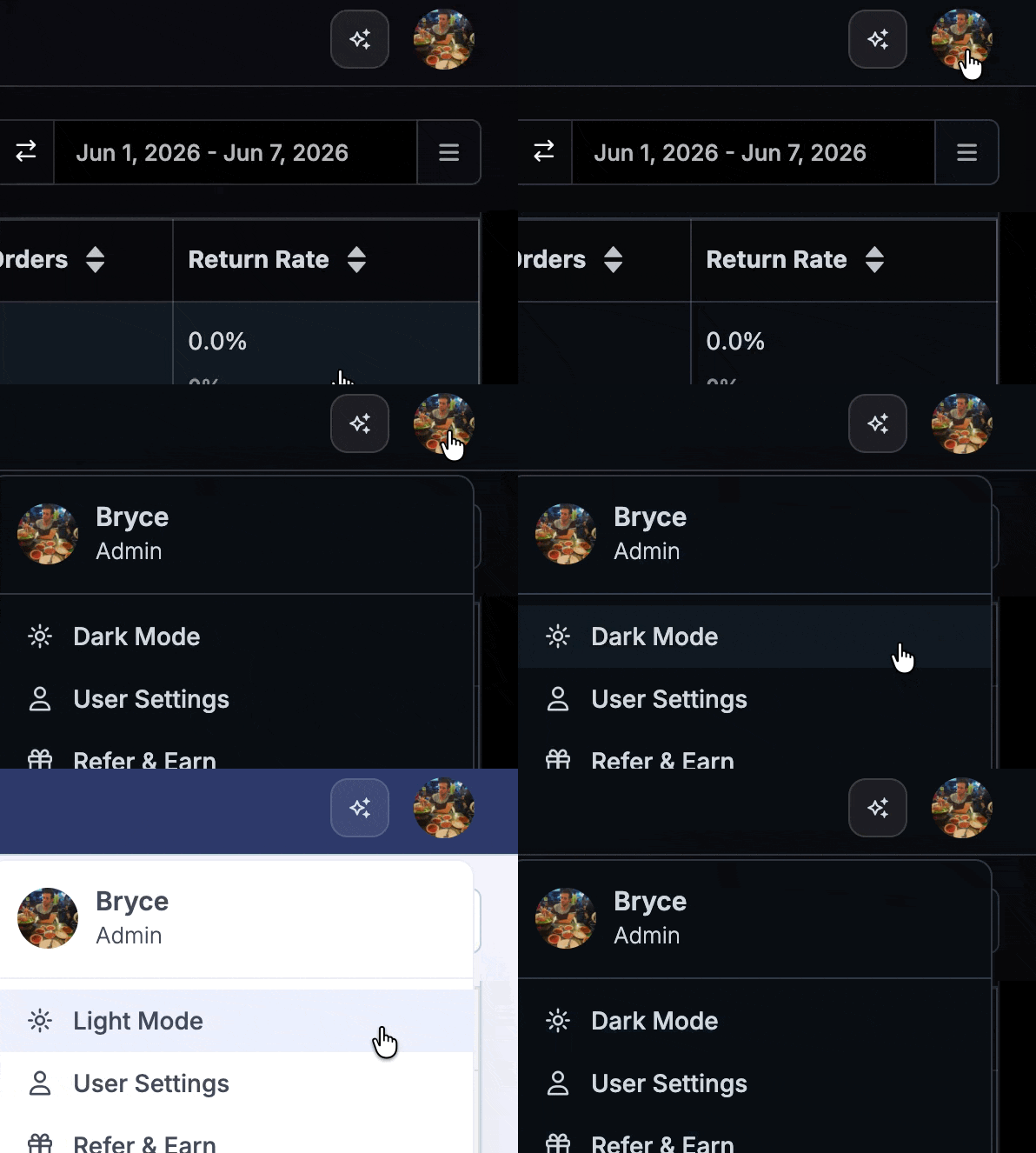
If you manually change to Light or Dark mode, Metorik will always use that color mode, regardless of your system choice. This is remembered in your user settings, so the same color mode will apply on different devices.
Was this helpful?
Was this helpful?